Blog / Mazda Connect

Blog

All Mazda Connect News Technology Important Information Tips Mazda Model Features Mazda Service Features & Specs Awards Service Mazda Vehicles Mazda Safety Technology Money Saving Tips Safety Beach Mazda Service History 2023 Models Community Events Comparisons Fun Stuff Financing Your Mazda Local 2024 Models Holidays Mazda Parts Car Buying Process Driver-Centric Design EVs Exterior Fuel & Gas Infotainment Pre-Owned Travel Certified Pre-Owned Mazda Vehicles Electric & Hybrid Vehicles Insurance Mazda Accessories Mazda CX-30 Mazda CX-5 Mazda3 Racing Restaurants & Food Tires & Wheels Activities Drive For Good Interior Kodo Design Language Mazda CX-9 Mazda Motorsports Seasonal Automotive Cleaning Fuel System Paint & Body Work Down-payments Transmission Weather Brakes i-Activsense Technology Large Vehicles & SUVs Mazda high compression engine care Millennials Skyactiv engine maintenance Suspension System Towing
HUMAN-MACHINE INTERFACE

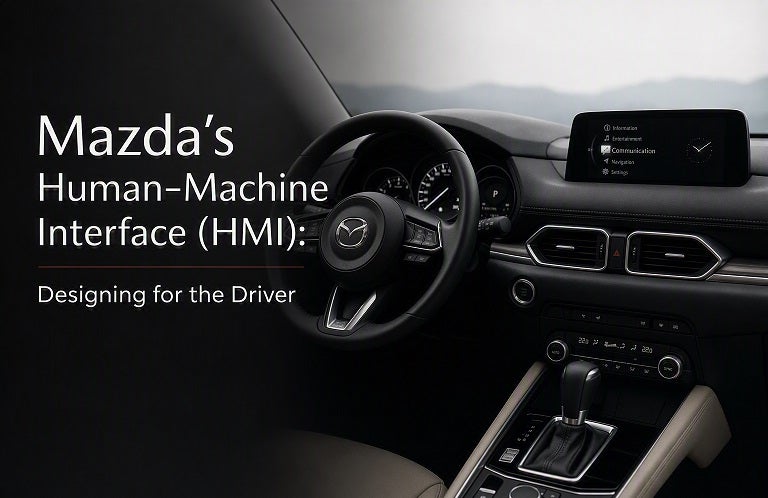
Mazda's Human-Machine Interface (HMI): Designing for the Driver

At Mazda, driving is more than just getting from point A to point B. It’s about creating a connection between the driver, the car, and the road—a connection that is intuitive, seamless, and responsive. This is where Mazda's Human-Machine Interface (HMI) comes into play. Through thoughtful design and advanced technology, Mazda's HMI enhances the driving experience by allowing drivers to stay focused on the road while still accessing essential information and entertainment. In this blog post, we’ll explore how Mazda’s HMI system is crafted with the driver in mind, making every journey more enjoyable, convenient, and, most importantly, safe. What is Mazda’s Human-Machine Interface (HMI)? Mazda’s Human-Machine Interface (HMI) refers to the system that allows the driver to interact with the vehicle’s technology—such as infotainment, navigation, and safety features—using controls that are easy to reach and understand. The goal of the HMI is to make the driving experience as intuitive as possible, minimizing distractions and allowing the driver to focus on what matters most: the road. Mazda has meticulously designed the HMI to provide an optimal balance between functionality and user-friendliness, ensuring that the system is not only effective but also enhances the overall driving experience. Key Features of Mazda's HMI System Mazda’s HMI system integrates several innovative features that are designed to make the driver’s experience more intuitive, comfortable, and connected. Here’s a look at some of the standout features: Mazda Connect Infotainment System At the heart of Mazda’s HMI is the Mazda Connect infotainment system, which serves as the interface for navigation, entertainment, communication, and vehicle settings. The system is designed to be easy to use and offers a range of functions, including: Bluetooth connectivity for hands-free calls and music streaming Voice command recognition for quick, hands-free control of the system Touchscreen interface that is highly responsive and easy to navigate Apple CarPlay® and Android Auto™ for seamless smartphone integration Mazda Connect puts all the tools you need at your fingertips, ensuring that you can stay connected while keeping your attention on the road. Commander Control Knob Unlike many other vehicles that rely solely on touchscreen controls, Mazda’s HMI system features the Commander Control knob —a physical dial located on the center console. This dial allows drivers to navigate through menus, select options, and adjust settings with ease, all without taking their hands off the wheel or their eyes off the road. This driver-focused control provides a more ergonomic and safer way to interact with the system compared to touchscreens alone. The Commander Control knob is intuitive and works in harmony with the Mazda Connect system, allowing for seamless control over everything from music playlists to navigation routes. Heads-Up Display (HUD) To further reduce distractions, Mazda offers an available Heads-Up Display (HUD) that projects key driving information directly onto the windshield. Important data such as speed, navigation instructions, and safety alerts are displayed right in the driver’s line of sight, allowing you to stay informed without having to look down at the dashboard or infotainment screen. This feature enhances safety by ensuring that vital information is always visible while you focus on the road ahead. Driver-Centric Design: Ergonomics and Accessibility Mazda’s HMI is built with the philosophy of Jinba Ittai —the bond between horse and rider, or in this case, the car and the driver. Every aspect of the system is carefully crafted to ensure comfort, ergonomics, and accessibility. Mazda’s focus on driver-centric design means that every control and feature is intuitively positioned for easy access and use. For example, the steering wheel is designed with multiple controls that allow you to adjust the volume, change tracks, manage cruise control, and access safety features without ever removing your hands from the wheel. Mazda’s engineers also consider the positioning of the screen, knob, and buttons to make sure everything is within comfortable reach, regardless of your driving position. This attention to detail ensures that Mazda drivers experience fewer distractions and a more seamless connection with their vehicles. Safety First: How Mazda's HMI Contributes to Driver Safety Mazda understands that safety is paramount, and its HMI system is designed to enhance driver safety by reducing distractions and enabling safer interactions with in-vehicle technologies. The key to this is the way Mazda's HMI integrates with driver-assistance technologies like Mazda i-Activsense. Some ways Mazda’s HMI promotes safety include: Voice Recognition: Control features like navigation, music, and calls using your voice, so you can keep your hands on the wheel and eyes on the road. Heads-Up Display: As mentioned earlier, the HUD displays essential driving information directly in your line of sight, helping you stay focused on driving while still receiving important updates. Simplified Interface: The intuitive interface of Mazda Connect and the Commander Control knob minimizes the complexity of the system, making it easier for you to access the functions you need without overwhelming you with unnecessary options. Navigation and Alerts: The system provides clear, easy-to-read directions, alerts, and safety warnings that help you stay aware of potential hazards on the road. Mazda’s HMI Evolution: Continuous Improvement Mazda is committed to innovation and continuously improving its HMI systems to keep up with new technologies and changing consumer preferences. With each new model year, Mazda introduces updates to its HMI that enhance usability, refine features, and integrate newer technologies for a more connected, enjoyable driving experience. As part of this commitment, Mazda has also incorporated features such as smartphone integration (Apple CarPlay® and Android Auto™) and over-the-air software updates, ensuring that your vehicle is always equipped with the latest features and improvements. Mazda's Commitment Mazda’s Human-Machine Interface (HMI) is a testament to the brand’s commitment to driver-centered innovation. The system is designed to offer intuitive controls, minimize distractions, and provide a seamless connection between the driver and the vehicle. Whether you're interacting with the Mazda Connect system, using the Commander Control knob, or accessing driver-assistance technologies, Mazda’s HMI ensures that every journey is safe, comfortable, and enjoyable. Ready to experience Mazda’s innovative HMI system for yourself? Visit Beach Mazda today to explore our lineup of vehicles equipped with the latest in automotive technology. Our team is here to help you find the perfect Mazda that fits your needs, style, and driving preferences. Beach Mazda Where Innovation Meets the Road.
BM2 TITLE AUG 2026

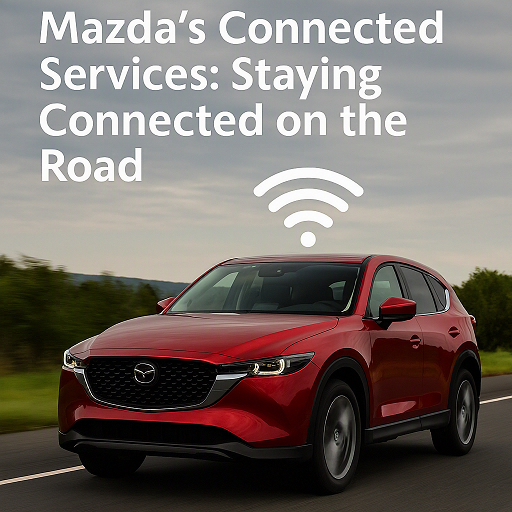
Mazda's Connected Services: Staying Connected on the Road

By Beach Mazda In today’s fast-paced world, staying connected is more important than ever—especially while on the road. Whether you're heading out on a cross-country road trip or navigating your daily commute, having access to essential services and features can make your driving experience safer, more convenient, and more enjoyable. Mazda’s Connected Services provide just that, offering a suite of advanced features that integrate seamlessly with your vehicle and smartphone. From hands-free communication to real-time navigation and remote vehicle management, Mazda is redefining what it means to be connected while on the move. In this blog post, we’ll explore Mazda's Connected Services, how they enhance your driving experience, and how to make the most of these features to stay connected and in control. 1. What Are Mazda’s Connected Services? Mazda’s Connected Services encompass a range of features designed to enhance your driving experience through technology. These services are available through Mazda’s Mazda Connect infotainment system, which acts as the central hub for all your connectivity needs. Through your smartphone or the car’s interface, you can access a variety of services that make driving safer, more convenient, and more enjoyable. These services include: Remote Vehicle Access: Start your car, lock/unlock doors, and monitor vehicle status remotely via the Mazda Connected App. Navigation: Receive real-time traffic updates, points of interest, and turn-by-turn navigation on the go. Entertainment: Stream music, access apps, and enjoy your favorite podcasts with ease, all while keeping your focus on the road. Safety Features: Stay protected with features like vehicle health reports, emergency assistance, and roadside assistance. Let’s dive into the key features of Mazda’s Connected Services to see how they work for you. 2. Mazda Connected App: Your Virtual Key to the Mazda World The Mazda Connected App is the gateway to the full range of remote services available in your Mazda vehicle. It offers a variety of features that allow you to control your vehicle remotely and monitor its status at any time. Some of the key features include: a. Remote Start and Stop Need your car to be warm on a chilly morning or cool during a hot day? With the Mazda Connected App, you can remotely start and stop your vehicle, ensuring a comfortable cabin temperature before you even get inside. b. Vehicle Health Monitoring The app provides you with real-time updates on your vehicle’s health, including fuel levels, tire pressure, and the overall condition of essential systems. If any issues arise, the app will notify you, helping you stay on top of maintenance and avoid unexpected breakdowns. c. Remote Lock/Unlock Forgot to lock your car? No problem. With the Mazda Connected App, you can lock and unlock your doors remotely. This is especially useful when you’re in a rush or unsure if you locked your vehicle securely. d. Location Tracking If you’ve ever forgotten where you parked, Mazda’s Find My Car feature will help you locate your vehicle quickly and easily. You can track its location on a map and get directions to where it's parked. 3. Mazda Connect Infotainment: Connectivity and Entertainment on the Go Mazda Connect integrates your smartphone with your vehicle’s infotainment system, allowing you to stay connected to your world while keeping your focus on the road. The system supports Apple CarPlay and Android Auto, enabling seamless access to your favorite apps, music, and messages. a. Apple CarPlay and Android Auto Access your phone’s content directly from your Mazda’s infotainment screen. Whether you’re making calls, texting, getting directions, or listening to music, these platforms offer a familiar interface that keeps you safe and connected while driving. b. Voice Commands With the advanced voice recognition technology in Mazda Connect, you can control many of your vehicle’s features hands-free. From changing the radio station to sending text messages, voice commands make it easier to interact with your vehicle without taking your hands off the wheel. c. Streaming and Entertainment Mazda Connect allows you to stream your favorite music, podcasts, and audiobooks. Apps like Spotify, Pandora, and Stitcher are easily accessible, ensuring you’re always entertained during your drive. 4. Mazda Navigation: Smart Navigation for a Smarter Drive Gone are the days of relying on paper maps or printed directions. Mazda’s real-time navigation system keeps you on track with up-to-date traffic and route information, so you can avoid congestion and reach your destination faster. a. Real-Time Traffic and Weather Updates Mazda’s navigation system provides real-time traffic updates, giving you the option to reroute around traffic jams, accidents, or road closures. It also provides weather updates, so you can better prepare for your trip and adjust accordingly. b. Points of Interest The system can show you points of interest along your route, such as restaurants, gas stations, and hotels. If you’re on a long road trip, this can be a lifesaver when you need to make a stop. 5. Safety Features: Keeping You and Your Loved Ones Protected Mazda’s Connected Services also include several safety features that enhance your peace of mind while driving. These services ensure that you’re not only connected but also safe, whether you're commuting or on a road trip. a. Emergency Assistance In the event of a collision or other emergency, the system can automatically send an alert to emergency responders. It will provide them with your vehicle’s exact location, helping them reach you faster in case of an emergency. b. Roadside Assistance Mazda offers 24/7 roadside assistance as part of their Connected Services. Whether you run out of fuel, get a flat tire, or need a tow, help is just a phone call away. 6. How to Get Started with Mazda’s Connected Services Getting started with Mazda’s Connected Services is simple. First, ensure that your vehicle is equipped with the Mazda Connect system and that you have the Mazda Connected App installed on your smartphone. From there, you can pair your phone with your vehicle’s infotainment system, activate remote services, and start enjoying all the benefits of staying connected on the road. 7. Stay Connected, Stay In Control Mazda’s Connected Services offer the perfect blend of technology, convenience, and safety. Whether it’s remotely managing your vehicle, accessing real-time navigation, or staying connected with entertainment and safety features, Mazda ensures that your driving experience is as seamless and enjoyable as possible. Visit Beach Mazda today to learn more about Mazda’s Connected Services and see how these cutting-edge features can enhance your next drive. Our team is here to help you get the most out of your Mazda ownership experience. Beach Mazda Your Mazda. Always Connected.

BM3 TITLE MAY 2026

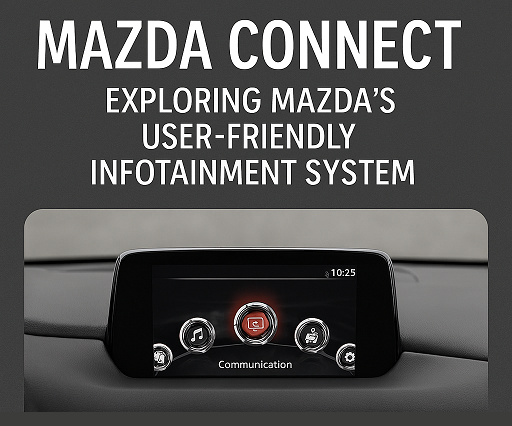
Mazda Connect: Exploring Mazda's User-Friendly Infotainment System

By Beach Mazda In today’s digital age, staying connected while on the road has become a key part of the driving experience. With Mazda Connect, Mazda’s advanced infotainment system, drivers and passengers can enjoy seamless integration of their smartphones, entertainment, and navigation, all within an intuitive and user-friendly interface. Whether you’re commuting to work or embarking on a weekend road trip, Mazda Connect enhances your driving experience with its innovative features. In this blog post, we’ll dive into the Mazda Connect system, how it works, its standout features, and how it makes your journey more enjoyable and convenient. What is Mazda Connect? Mazda Connect is Mazda’s infotainment system that connects your vehicle to a world of entertainment, communication, and navigation. Available in most new Mazda vehicles, Mazda Connect combines Bluetooth connectivity, voice recognition, touchscreen control, and smartphone integration into one cohesive package. The system is designed to be intuitive and easy to use, offering a variety of features that enhance convenience, safety, and entertainment while driving. Whether you prefer controlling your vehicle's systems through voice commands, steering wheel controls, or the large touchscreen, Mazda Connect gives you the flexibility to interact with your vehicle the way you want. Key Features of Mazda Connect Mazda Connect offers a range of features that make your time on the road more enjoyable and efficient. Here’s a closer look at some of the standout features: Smartphone Integration with Apple CarPlay and Android Auto One of the most popular features of Mazda Connect is its ability to integrate seamlessly with both Apple CarPlay and Android Auto. This allows you to connect your smartphone to your vehicle and use compatible apps directly on the infotainment screen. You can: Make hands-free calls and send text messages. Use your smartphone’s navigation apps, such as Google Maps or Apple Maps. Stream your favorite music, podcasts, and audiobooks from apps like Spotify and Pandora. Access your calendar, weather updates, and more—all without ever taking your hands off the wheel. The best part? Both systems are wireless on newer Mazda models, so you don’t have to worry about plugging in your phone every time you get in the car. Voice Command Integration To keep your hands on the wheel and your eyes on the road, Mazda Connect offers voice recognition technology. With voice commands, you can control various features, such as making phone calls, changing music, and adjusting navigation. Simply press the voice command button on the steering wheel, and Mazda Connect will listen to your instructions, allowing for safer and more convenient operation. Navigation and Traffic Updates For those who often find themselves on unfamiliar roads or in need of quick directions, Mazda Connect offers in-built navigation. The system provides real-time traffic updates, helping you avoid congested routes and get to your destination faster. Whether you’re using Mazda’s built-in GPS system or Apple Maps and Google Maps through smartphone integration, Mazda Connect ensures you’re always on the right track. Entertainment and Connectivity Mazda Connect provides access to a wide array of entertainment options. The system supports Bluetooth audio streaming, allowing you to play your favorite music or podcasts directly from your phone. It also includes SiriusXM radio (on compatible vehicles), giving you access to hundreds of stations across various genres, including music, news, and sports. The system also supports HD Radio, providing crystal-clear sound quality for your listening pleasure. Mazda Connect App for Remote Access With the Mazda Connect app, you can control key aspects of your vehicle from your smartphone. This includes remote locking and unlocking, vehicle location tracking, remote engine start, and even checking on your car’s maintenance status. The app gives you peace of mind, whether you're trying to locate your vehicle in a crowded parking lot or ensuring your car is locked while you're away. How Mazda Connect Enhances Driver Safety Mazda Connect isn’t just about entertainment—it’s also designed to help keep you safe on the road. Some of the key safety features include: Blind Spot Monitoring and Rear Cross-Traffic Alert These safety features are integrated into the Mazda Connect system, providing visual and audible warnings when a vehicle is detected in your blind spot or when there’s cross-traffic while you’re reversing. With these systems, Mazda Connect helps to improve situational awareness and reduce the risk of accidents. Emergency Assistance System In the event of an emergency, Mazda Connect’s Emergency Assistance feature can automatically dial emergency services and provide your location if a serious accident is detected. This system can be a lifesaver if you’re in need of immediate help. Traffic Sign Recognition and Lane Departure Warning Mazda Connect also includes features like traffic sign recognition and lane departure warning to help keep you aware of road conditions and stay within your lane. These features enhance your ability to react to changing traffic conditions and help you stay focused on the road. How to Use Mazda Connect Using Mazda Connect is intuitive, thanks to the large touchscreen, physical buttons, and rotary dial located on the center console. You can control the system in three ways: Touchscreen: Use the large touchscreen to tap, swipe, and scroll through the menus. Rotary Dial: The rotary dial is located on the center console, allowing for easy control of the system without needing to take your hands off the wheel. Voice Commands: Activate voice recognition by pressing the voice command button on the steering wheel and speaking your commands. The system is designed with simplicity and ease of use in mind, ensuring that you can quickly access the features you need without distractions. Why Choose Mazda Connect? Mazda Connect stands out as one of the most user-friendly infotainment systems in the industry, combining advanced technology with ease of use. With seamless smartphone integration, voice control, real-time navigation, and a variety of entertainment options, it’s the perfect way to stay connected while on the road. At Beach Mazda, we’re excited to offer you the latest Mazda vehicles equipped with Mazda Connect, making your driving experience smarter, safer, and more enjoyable. If you’re interested in exploring Mazda Connect firsthand, visit us today and take a test drive in one of our new Mazda models! Beach Mazda Connecting You to the Road Ahead This blog post highlights the features and benefits of Mazda Connect, showing how the infotainment system enhances your driving experience with convenience, safety, and connectivity.

Contact Us

Fill out this form below and we'll contact you shortly
*Required Fields