Blog / Infotainment

Blog

All Infotainment News Technology Important Information Mazda Model Features Tips Mazda Service Features & Specs Awards Service Mazda Vehicles Mazda Safety Technology Money Saving Tips Safety Beach Mazda Service History 2023 Models Community Events Comparisons Financing Your Mazda Fun Stuff Local 2024 Models Holidays Mazda Parts Car Buying Process Driver-Centric Design EVs Exterior Fuel & Gas Pre-Owned Certified Pre-Owned Mazda Vehicles Electric & Hybrid Vehicles Insurance Mazda Accessories Mazda CX-30 Mazda3 Racing Restaurants & Food Tires & Wheels Travel Activities Drive For Good Kodo Design Language Mazda CX-5 Mazda CX-9 Mazda Motorsports Automotive Cleaning Fuel System Interior Paint & Body Work Seasonal Down-payments Mazda Connect Transmission Weather Brakes i-Activsense Technology Large Vehicles & SUVs Millennials Suspension System Towing
BM1 TITLE JULY 2026

Mazda Connect Tips and Tricks: Getting the Most Out of Your Infotainment System

Modern driving is about more than just getting from point A to B — it’s about staying connected, informed, and entertained along the way. That’s why Mazda Connect, the brand’s intuitive infotainment system, is such a game-changer for Mazda drivers. Whether you're cruising around Myrtle Beach or heading out on a road trip, Mazda Connect helps you make the most of every mile. At Beach Mazda, we want you to take full advantage of everything this system has to offer. Let’s explore the best tips and tricks for using Mazda Connect like a pro. more What Is Mazda Connect? Mazda Connect is Mazda’s infotainment interface, designed to give drivers hands-free control of entertainment, navigation, communication, and vehicle settings. It features a central display screen (usually 8.8” to 10.25”), a Commander control knob near the gear shifter, steering wheel controls, and — in many models — touchscreen functionality when parked. Top Mazda Connect Featur es Apple CarPlay™ & Android Auto™: Seamlessly integrate your smartphone for maps, music, messaging, and more. Voice Command: Safely control features like navigation and audio without taking your hands off the wheel. Navigation System: Built-in GPS with turn-by-turn directions and real-time traffic updates (on equipped models). Bluetooth® Connectivity: Pair your phone to stream music or make hands-free calls. Vehicle Status & Maintenance: Monitor oil life, tire pressure, and other important alerts right from your screen. Mazda Connect Tips and Tricks 1. Master the Commander Control The center control knob is your gateway to navigating menus without reaching for the screen. Rotate to scroll, tilt to move across options, and press to select. It’s faster (and safer) than tapping the screen while driving. 2. Customize Your Home Screen From the main menu, you can set shortcuts to your most-used features, like navigation or your favorite playlist. Some models allow you to rearrange icons for a more personalized experience. 3. Use Voice Commands Wisely Start by pressing the voice command button on the steering wheel. Try phrases like: “Play ” “Navigate to ” “Call ” Pro tip: Speak clearly and wait for the beep before talking for best results. 4. Adjust Audio Settings for Premium Sound Mazda Connect allows you to fine-tune your sound with bass, treble, and balance controls — especially helpful if you have a Bose® premium audio system. Set your preferences to suit your music style and cabin acoustics. 5. Stay Updated with Software Just like your phone, Mazda Connect receives occasional updates. These may include improved compatibility, new features, or bug fixes. Beach Mazda’s service team can check and install the latest updates during your maintenance visits. 6. Set Do Not Disturb Mode Avoid distractions while driving by enabling “Do Not Disturb” in your phone settings or within the infotainment preferences when your phone is connected via Bluetooth or CarPlay. 7. Save Your Favorite Radio Stations Easily save AM/FM/SiriusXM stations by pressing and holding one of the numbered presets. You can access them quickly through the Commander or voice command. Which Mazda Vehicles Include Mazda Connect? Mazda Connect comes standard or available on most new Mazda models, including: Mazda3 CX-30 CX-5 CX-50 CX-90 MX-5 Miata Each model may have slightly different features, so ask our team at Beach Mazda to show you what’s available in your specific vehicle. Final Thoughts Mazda Connect is all about enhancing the driver experience — making it easier, safer, and more enjoyable to stay connected on the road. By learning a few key tips and customizing your setup, you can unlock the full potential of this smart system. Need help syncing your phone or exploring features? Stop by Beach Mazda, and one of our team members will gladly walk you through your Mazda Connect system. Want a personalized walkthrough of Mazda Connect? Schedule a visit at Beach Mazda today and let us show you how to make the most of your infotainment experience!

BM3 TITLE MAY 2026

Mazda Connect: Exploring Mazda's User-Friendly Infotainment System

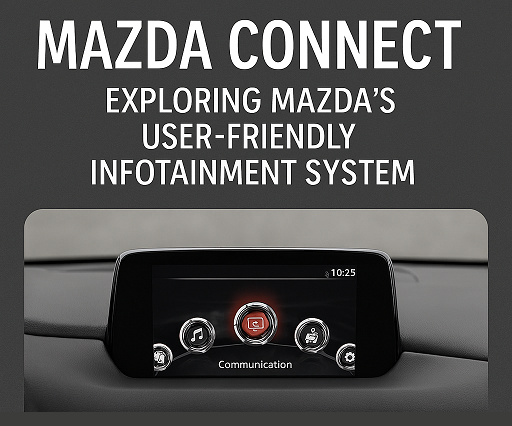
By Beach Mazda In today’s digital age, staying connected while on the road has become a key part of the driving experience. With Mazda Connect, Mazda’s advanced infotainment system, drivers and passengers can enjoy seamless integration of their smartphones, entertainment, and navigation, all within an intuitive and user-friendly interface. Whether you’re commuting to work or embarking on a weekend road trip, Mazda Connect enhances your driving experience with its innovative features. In this blog post, we’ll dive into the Mazda Connect system, how it works, its standout features, and how it makes your journey more enjoyable and convenient. more What is Mazda Connect? Mazda Connect is Mazda’s infotainment system that connects your vehicle to a world of entertainment, communication, and navigation. Available in most new Mazda vehicles, Mazda Connect combines Bluetooth connectivity, voice recognition, touchscreen control, and smartphone integration into one cohesive package. The system is designed to be intuitive and easy to use, offering a variety of features that enhance convenience, safety, and entertainment while driving. Whether you prefer controlling your vehicle's systems through voice commands, steering wheel controls, or the large touchscreen, Mazda Connect gives you the flexibility to interact with your vehicle the way you want. Key Features of Mazda Connect Mazda Connect offers a range of features that make your time on the road more enjoyable and efficient. Here’s a closer look at some of the standout features: Smartphone Integration with Apple CarPlay and Android Auto One of the most popular features of Mazda Connect is its ability to integrate seamlessly with both Apple CarPlay and Android Auto. This allows you to connect your smartphone to your vehicle and use compatible apps directly on the infotainment screen. You can: Make hands-free calls and send text messages. Use your smartphone’s navigation apps, such as Google Maps or Apple Maps. Stream your favorite music, podcasts, and audiobooks from apps like Spotify and Pandora. Access your calendar, weather updates, and more—all without ever taking your hands off the wheel. The best part? Both systems are wireless on newer Mazda models, so you don’t have to worry about plugging in your phone every time you get in the car. Voice Command Integration To keep your hands on the wheel and your eyes on the road, Mazda Connect offers voice recognition technology. With voice commands, you can control various features, such as making phone calls, changing music, and adjusting navigation. Simply press the voice command button on the steering wheel, and Mazda Connect will listen to your instructions, allowing for safer and more convenient operation. Navigation and Traffic Updates For those who often find themselves on unfamiliar roads or in need of quick directions, Mazda Connect offers in-built navigation. The system provides real-time traffic updates, helping you avoid congested routes and get to your destination faster. Whether you’re using Mazda’s built-in GPS system or Apple Maps and Google Maps through smartphone integration, Mazda Connect ensures you’re always on the right track. Entertainment and Connectivity Mazda Connect provides access to a wide array of entertainment options. The system supports Bluetooth audio streaming, allowing you to play your favorite music or podcasts directly from your phone. It also includes SiriusXM radio (on compatible vehicles), giving you access to hundreds of stations across various genres, including music, news, and sports. The system also supports HD Radio, providing crystal-clear sound quality for your listening pleasure. Mazda Connect App for Remote Access With the Mazda Connect app, you can control key aspects of your vehicle from your smartphone. This includes remote locking and unlocking, vehicle location tracking, remote engine start, and even checking on your car’s maintenance status. The app gives you peace of mind, whether you're trying to locate your vehicle in a crowded parking lot or ensuring your car is locked while you're away. How Mazda Connect Enhances Driver Safety Mazda Connect isn’t just about entertainment—it’s also designed to help keep you safe on the road. Some of the key safety features include: Blind Spot Monitoring and Rear Cross-Traffic Alert These safety features are integrated into the Mazda Connect system, providing visual and audible warnings when a vehicle is detected in your blind spot or when there’s cross-traffic while you’re reversing. With these systems, Mazda Connect helps to improve situational awareness and reduce the risk of accidents. Emergency Assistance System In the event of an emergency, Mazda Connect’s Emergency Assistance feature can automatically dial emergency services and provide your location if a serious accident is detected. This system can be a lifesaver if you’re in need of immediate help. Traffic Sign Recognition and Lane Departure Warning Mazda Connect also includes features like traffic sign recognition and lane departure warning to help keep you aware of road conditions and stay within your lane. These features enhance your ability to react to changing traffic conditions and help you stay focused on the road. How to Use Mazda Connect Using Mazda Connect is intuitive, thanks to the large touchscreen, physical buttons, and rotary dial located on the center console. You can control the system in three ways: Touchscreen: Use the large touchscreen to tap, swipe, and scroll through the menus. Rotary Dial: The rotary dial is located on the center console, allowing for easy control of the system without needing to take your hands off the wheel. Voice Commands: Activate voice recognition by pressing the voice command button on the steering wheel and speaking your commands. The system is designed with simplicity and ease of use in mind, ensuring that you can quickly access the features you need without distractions. Why Choose Mazda Connect? Mazda Connect stands out as one of the most user-friendly infotainment systems in the industry, combining advanced technology with ease of use. With seamless smartphone integration, voice control, real-time navigation, and a variety of entertainment options, it’s the perfect way to stay connected while on the road. At Beach Mazda, we’re excited to offer you the latest Mazda vehicles equipped with Mazda Connect, making your driving experience smarter, safer, and more enjoyable. If you’re interested in exploring Mazda Connect firsthand, visit us today and take a test drive in one of our new Mazda models! Beach Mazda Connecting You to the Road Ahead This blog post highlights the features and benefits of Mazda Connect, showing how the infotainment system enhances your driving experience with convenience, safety, and connectivity.

bm4 title apr 26

Mazda Connect Infotainment System: How to Use It and Get the Most Out of It

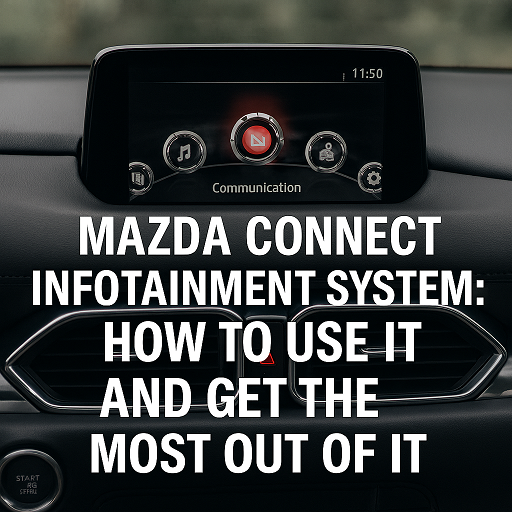
By Beach Mazda If you’re driving a modern Mazda, chances are your vehicle is equipped with the Mazda Connect Infotainment System —an intuitive and advanced system designed to keep you connected and entertained while on the road. Whether you’re navigating your way to your next destination, making hands-free calls, or listening to your favorite music, Mazda Connect is designed to enhance your driving experience. more At Beach Mazda, we know that getting the most out of your vehicle’s infotainment system can sometimes be overwhelming. That’s why we’ve created this guide to help you understand how to use the Mazda Connect system and unlock its full potential for convenience, entertainment, and safety. What is Mazda Connect? Mazda Connect is Mazda’s suite of in-car technology, which includes a range of multimedia, connectivity, and navigation features. Integrated with a touchscreen display, a control knob (known as the Commander Control), and smartphone integration, the system is designed to give you easy access to essential functions while keeping your focus on the road. Key features of Mazda Connect include: Bluetooth connectivity for hands-free calls and music streaming. Voice commands for controlling navigation, calls, and media. Apple CarPlay® and Android Auto™ integration for seamless smartphone connectivity. Navigation and traffic updates for efficient route planning. How to Use Mazda Connect 1. Getting Started: Connecting Your Smartphone One of the first things you’ll want to do when you hop into your Mazda is connect your smartphone. Mazda Connect makes this easy with Apple CarPlay® and Android Auto™ —two platforms that allow you to mirror your smartphone’s screen onto your Mazda’s infotainment screen. How to Connect Apple CarPlay®: Plug your iPhone into the USB port using an Apple-approved lightning cable. Once connected, a message will appear on your screen asking if you want to enable Apple CarPlay. Select "Enable" to connect. After the connection is made, you can access apps like Maps, Spotify, Messages, and more right on your Mazda’s screen. How to Connect Android Auto™: Plug your Android phone into the USB port using a compatible USB cable. A message will appear on the screen asking if you’d like to use Android Auto. Confirm your selection. Once connected, you can use apps like Google Maps, Spotify, Google Assistant, and more through the system. Tip: For both Apple CarPlay® and Android Auto™, make sure your smartphone has the latest software updates to ensure smooth connectivity. 2. Using the Commander Control The Commander Control is a unique feature of the Mazda Connect system. Located near the gear shifter, this dial allows you to control the infotainment system without having to touch the screen, minimizing distractions while driving. Here’s how to use the Commander Control: Turn the dial to navigate through menus and options. Press down on the dial to select items or open menus. Use the four directional buttons to quickly access different features, such as Radio, Media, Navigation, and Settings. This easy-to-use system allows for safe and precise control of your infotainment system while keeping your hands on the wheel and eyes on the road. 3. Voice Commands for Hands-Free Operation Mazda Connect is equipped with voice recognition technology, allowing you to control many functions hands-free. Simply press the Voice Recognition button on your steering wheel to begin issuing voice commands. Here are some common voice commands: “Call ” to make a phone call. “Play ” to start playing music. “Navigate to ” for turn-by-turn directions. “What’s the weather?” for a weather update. Voice commands can help you keep your focus on the road while still having access to essential features like navigation, media, and communication. 4. Accessing Navigation and Traffic Updates If your Mazda is equipped with the Mazda Navigation System, the infotainment system provides turn-by-turn directions and real-time traffic updates to help you get to your destination quickly and safely. How to Use Navigation: Press the Navigation button on the home screen or use the Commander Control to select the Navigation option. Enter your desired destination using the touchscreen or voice commands. The system will provide real-time directions and traffic updates, and it will also reroute you in case of traffic delays. Tip: Make sure to keep your navigation maps updated to ensure the most accurate and efficient routes. Updates can be done through a USB drive or using the Mazda SD card (depending on your model). 5. Bluetooth Connectivity for Calls and Music One of the key features of Mazda Connect is the ability to connect your phone via Bluetooth. This allows you to make hands-free calls, listen to music, and stream podcasts without needing to touch your phone. How to Connect via Bluetooth: Go to the Settings menu on the Mazda Connect screen and select Bluetooth. Follow the prompts to pair your phone with your vehicle. You may need to enter a pairing code or confirm the connection on your phone. Once connected, you can make and receive calls, stream music, or use any other Bluetooth-enabled apps. Tip: Mazda Connect also supports SMS text message reading (for supported phones). You can listen to your incoming texts and reply using voice commands, keeping you safe and connected while driving. Troubleshooting Common Mazda Connect Issues 1. Mazda Connect Won’t Pair with My Phone If your phone isn’t connecting to Mazda Connect, here are a few things to check: Ensure Bluetooth is enabled on your phone. Make sure you are using a compatible USB cable if connecting via Apple CarPlay® or Android Auto™. Try disconnecting and reconnecting the phone to the system or restarting your phone. Reset the system by pressing and holding the power button for 10 seconds to reboot the system. 2. Navigation Not Showing Accurate Directions If the navigation system isn’t providing accurate directions or isn’t loading properly: Ensure your maps are up to date. Check if the GPS signal is being blocked (e.g., by tall buildings or tunnels). You may need to perform a system reset or update the navigation software via USB or SD card. 3. Apple CarPlay® or Android Auto™ Not Working If Apple CarPlay® or Android Auto™ is not connecting: Make sure your smartphone’s software is up to date. Try using a different USB port if available. Check that CarPlay or Android Auto is enabled in your phone’s settings. Conclusion The Mazda Connect Infotainment System is packed with features designed to enhance your driving experience. From seamless smartphone integration with Apple CarPlay® and Android Auto™ to hands-free calling and navigation, Mazda Connect helps you stay connected while keeping your focus on the road. Whether you’re a tech-savvy driver or a first-time user, understanding how to use and troubleshoot Mazda Connect will help you get the most out of your vehicle’s technology. At Beach Mazda, we’re here to assist you with any questions or concerns you may have about using Mazda Connect or any other feature of your Mazda vehicle. Beach Mazda Your Trusted Mazda Experts in Myrtle Beach If you’re ready to learn more or have questions about Mazda Connect, feel free to contact us or visit our service center today! We’re always happy to help!

BM1 title Aug 2025

Mazda’s Infotainment System: Features and How to Use Them

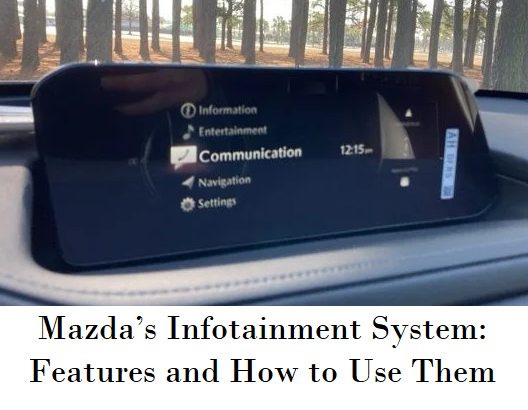
Mazda's vehicles are known for their engaging driving experience, but the brand also offers a sophisticated infotainment system that enhances connectivity, entertainment, and convenience. Mazda Connect, the brand’s infotainment system, is designed to be intuitive and user-friendly, allowing drivers to stay connected while keeping their focus on the road. In this blog, we’ll explore the key features of Mazda’s infotainment system and provide tips on how to get the most out of them. more Mazda Connect: The Hub of Your Driving Experience Mazda Connect is the central hub for all your infotainment needs. It integrates audio, communication, navigation, and vehicle settings into a single, easy-to-use interface. The system is controlled via a combination of touchscreen inputs, a rotary dial, and voice commands, ensuring that you can interact with the system in a way that feels most natural to you. Rotary Dial Control: Located on the center console, the rotary dial allows you to navigate through the system’s menus without taking your eyes off the road. The dial can be turned, pressed, and tilted to select and adjust various functions, making it easy to control the infotainment system while driving. Touchscreen Interface: The touchscreen provides a direct way to interact with the system, allowing you to tap and swipe through menus and options. While the touchscreen is convenient when the vehicle is stationary, Mazda has designed the system to be primarily operated via the rotary dial for safer use while driving. Voice Command: Mazda Connect also supports voice commands, allowing you to control many functions hands-free. Simply press the voice command button on the steering wheel and speak your command. This feature is especially useful for tasks like making phone calls, setting navigation destinations, or adjusting audio settings. Connectivity: Stay Connected on the Go Mazda’s infotainment system offers a range of connectivity options to keep you connected while on the road. Bluetooth®: Pair your smartphone with Mazda Connect via Bluetooth to make hands-free calls, send and receive text messages, and stream music wirelessly. The system allows you to connect multiple devices, so passengers can also share their music playlists. Apple CarPlay® and Android Auto™: Mazda Connect supports both Apple CarPlay and Android Auto, allowing you to seamlessly integrate your smartphone with the infotainment system. With these features, you can access your favorite apps, navigate with real-time maps, listen to music, and even send messages using Siri or Google Assistant—all through the familiar interface of your phone. USB Ports: Mazda vehicles are equipped with multiple USB ports, allowing you to charge devices and connect them to the infotainment system. Use the USB ports to play music directly from a flash drive or connect your smartphone for a more stable connection than Bluetooth. Wi-Fi Hotspot: Some Mazda models offer an available Wi-Fi hotspot, allowing you and your passengers to stay connected to the internet while on the go. The Wi-Fi hotspot can support multiple devices, making it ideal for road trips or long commutes where passengers want to stream content or browse the web. Navigation: Find Your Way with Ease Mazda’s infotainment system includes a built-in navigation system that provides turn-by-turn directions, real-time traffic updates, and 3D map views. The navigation system is designed to be intuitive and easy to use, ensuring that you can reach your destination with confidence. Search for Destinations: You can search for destinations by entering an address, searching for points of interest, or selecting a location from your favorites. The system also allows you to search for nearby services, such as gas stations, restaurants, and parking, making it easier to find what you need while on the road. Real-Time Traffic Updates: The navigation system provides real-time traffic updates, helping you avoid congestion and find the fastest route to your destination. If traffic conditions change while you’re on the move, the system can automatically reroute you to save time. Voice-Guided Navigation: For added convenience, the navigation system offers voice-guided directions, allowing you to keep your eyes on the road while receiving turn-by-turn instructions. You can also use voice commands to set or change your destination without taking your hands off the wheel. 3D Map Views: The navigation system’s 3D map views provide a more detailed and immersive view of your surroundings, making it easier to navigate complex intersections and unfamiliar areas. Entertainment: Enjoy Your Favorite Media Mazda Connect offers a range of entertainment options to keep you and your passengers entertained on the road. AM/FM Radio and HD Radio™: Enjoy your favorite radio stations with the option of HD Radio, which provides higher-quality sound and additional digital channels. The system allows you to save your favorite stations for quick access. SiriusXM® Satellite Radio: With a subscription to SiriusXM, you can enjoy hundreds of channels of music, news, sports, and entertainment. Mazda Connect’s interface makes it easy to browse channels and find the content you want to listen to. Streaming Services: If you prefer streaming services like Spotify, Pandora, or Apple Music, you can access them through Apple CarPlay or Android Auto. Simply connect your smartphone and stream your favorite playlists, podcasts, or audiobooks directly through the infotainment system. USB and Auxiliary Inputs: If you have a collection of music stored on a USB drive or prefer to connect an external media player, Mazda Connect allows you to play music via the USB or auxiliary input. The system’s interface lets you browse and select tracks, albums, and playlists with ease. Settings and Customization: Tailor the Experience to Your Preferences Mazda’s infotainment system offers a range of settings and customization options, allowing you to tailor the system to your preferences. Audio Settings: Adjust the sound to your liking with customizable audio settings. You can fine-tune the bass, treble, balance, and fader to create the perfect listening experience. Some Mazda models also offer premium audio systems from brands like Bose, providing high-quality sound for an immersive experience. Display Customization: Mazda Connect allows you to customize the layout and appearance of the display. Choose your preferred background, adjust the brightness, and arrange the menu options to suit your preferences. You can also customize the head-up display (if equipped) to show the information that’s most important to you. Driver Profiles: If multiple people drive your Mazda, you can create individual driver profiles that save each driver’s preferred settings, including seat position, mirror adjustment, and climate control preferences. This feature ensures that every driver can enjoy a personalized experience. Vehicle Settings: Access and adjust a variety of vehicle settings through Mazda Connect, including lighting, door locks, and safety features. This allows you to configure your Mazda to match your driving style and preferences. Safety and Convenience Features Mazda’s infotainment system also integrates with various safety and convenience features to enhance your driving experience. Rearview Camera: The infotainment screen displays the feed from the rearview camera when you shift into reverse, helping you navigate tight parking spaces and avoid obstacles. Parking Sensors: If your Mazda is equipped with parking sensors, the infotainment system provides visual and audible alerts to help you avoid collisions while parking. Driver Assistance Features: The infotainment system works in conjunction with Mazda’s i-ACTIVSENSE safety features, such as lane departure warning, adaptive cruise control, and blind-spot monitoring, to keep you informed and in control. These features provide real-time information on the infotainment display, allowing you to stay aware of your surroundings. Climate Control: Some Mazda models allow you to adjust the climate control settings directly through the infotainment system. You can set the temperature, fan speed, and airflow distribution to ensure a comfortable cabin environment. Tips for Maximizing Your Infotainment Experience To get the most out of Mazda’s infotainment system, consider these tips: Familiarize Yourself with the System: Spend some time getting to know the layout and features of Mazda Connect. Understanding how to navigate the menus and use the rotary dial, touchscreen, and voice commands will make it easier to access the features you need while driving. Keep Your Software Updated: Mazda periodically releases software updates for the infotainment system to improve performance and add new features. Check with your dealership to ensure your system is up to date. Use Shortcuts: Customize the system’s home screen with shortcuts to your most-used features, such as navigation, music, or phone contacts. This will save you time and reduce distractions while driving. Practice Safe Use: While Mazda Connect is designed to be as distraction-free as possible, it’s important to use the system responsibly. Set up your navigation, select your music, and make any necessary adjustments before you start driving to minimize distractions on the road. Mazda Connect is a Powerful Tool Mazda’s infotainment system, Mazda Connect, is a powerful tool that enhances the driving experience by offering seamless connectivity, entertainment, and convenience. Whether you’re navigating through a new city, enjoying your favorite music, or adjusting your vehicle’s settings, Mazda Connect makes it easy to stay connected and in control. By taking the time to explore its features and customize the system to your preferences, you can make the most of your Mazda’s infotainment system and enjoy every drive to the fullest.

Contact Us

Fill out this form below and we'll contact you shortly
*Required Fields