Blog / Important Information

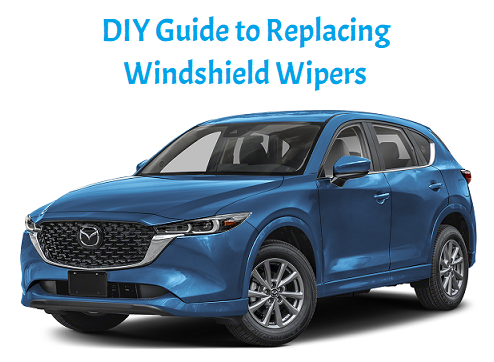
DIY Guide to Replacing Windshield Wipers

bm4 jan title

Windshield wipers are an essential component of your vehicle, ensuring clear visibility during rain, snow, and other inclement weather. Over time, wiper blades can wear out, leading to streaks, smears, and reduced performance. Fortunately, replacing windshield wipers is a straightforward DIY task that can save you time and money. In this blog, we’ll provide a step-by-step guide to help you replace your windshield wipers easily and efficiently.

Why Replace Windshield Wipers?

Before diving into the replacement process, it’s important to understand why regular wiper replacement is essential:

  • Improved Visibility: Worn wiper blades can reduce visibility, especially during heavy rain or snow, making driving unsafe.
  • Prevention of Windshield Damage: Old or damaged wiper blades can scratch the windshield, leading to costly repairs.
  • Increased Safety: Properly functioning wipers are crucial for safe driving in adverse weather conditions.

When to Replace Windshield Wipers

You should replace your windshield wipers if you notice any of the following signs:

  • Streaking: Wipers leave streaks or smears on the windshield when in use.
  • Skipping: Wipers skip or jump across the windshield instead of making full contact.
  • Cracks or Tears: Inspect the rubber blade for any visible cracks, tears, or signs of wear.
  • Noise: Squeaking or chattering noises when the wipers are in use can indicate worn blades.

DIY Steps to Replace Windshield Wipers

1. Gather Your Supplies

Before you start, gather the following tools and materials:

  • New windshield wiper blades (check your vehicle’s owner manual for the correct size)
  • Cleaning cloth (optional)
  • Screwdriver (if needed for your specific wiper arm)

2. Prepare Your Vehicle

  • Park on a Level Surface: Ensure your vehicle is parked on a flat surface with the engine off and the keys removed from the ignition.
  • Lift the Wiper Arms: Gently lift the wiper arms away from the windshield until they are in a vertical position. This makes it easier to access the blades.

3. Remove the Old Wiper Blades

  • Locate the Release Mechanism: Most wiper blades are attached using a small clip or latch. Examine the connection to identify how to detach the old blade. Some may require a simple press or a slide mechanism.
  • Detach the Old Blade: Press the release tab or slide the blade off the wiper arm, then pull the blade downwards to remove it completely. Repeat this step for the other wiper blade.

4. Install the New Wiper Blades
  • Prepare the New Blade: Take the new wiper blade out of the packaging. If it has a protective cover on the rubber edge, remove it.
  • Attach the New Blade: Align the new blade with the wiper arm. Depending on the type of connection, you may need to slide the blade onto the arm or press it into place until you hear a click.
  • Ensure Proper Fit: Tug gently on the blade to ensure it is securely attached to the wiper arm. Repeat the process for the other wiper blade.

5. Test the Wipers

  • Lower the Wiper Arms: Carefully lower the wiper arms back onto the windshield.
  • Check Functionality: Start your vehicle and test the wipers by activating them to ensure they operate smoothly and effectively. If they leave streaks or do not function properly, double-check the installation.

6. Clean the Windshield (Optional)

For optimal performance, consider cleaning your windshield after replacing the wipers. Use a glass cleaner and a soft cloth to remove any residue or dirt. This will help improve visibility when using the new wiper blades.

Essential Maintenance

Replacing your windshield wipers is a simple yet essential maintenance task that can significantly improve your visibility and driving safety. By following this DIY guide, you can easily replace your wiper blades and ensure your vehicle is ready for any weather condition. Remember to check your wiper blades regularly and replace them at least once a year or sooner if you notice any signs of wear. With fresh wiper blades, you’ll enjoy a clearer view of the road ahead, enhancing your overall driving experience.
Posted in:

Related Posts

BM2 TITLE AUG 2026

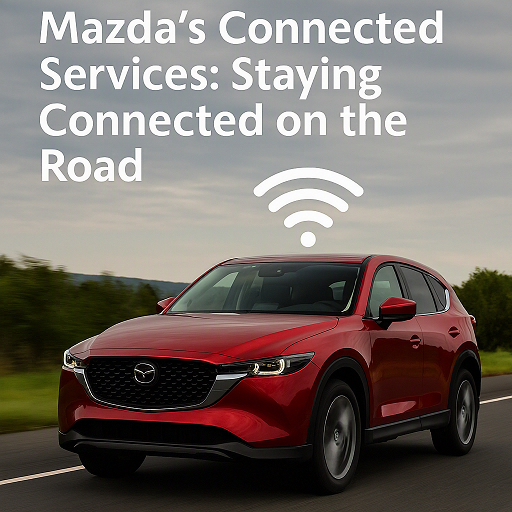
Mazda's Connected Services: Staying Connected on the Road

By Beach Mazda In today’s fast-paced world, staying connected is more important than ever—especially while on the road. Whether you're heading out on a cross-country road trip or navigating your daily commute, having access to essential services and features can make your driving experience safer, more convenient, and more enjoyable. more Mazda’s Connected Services provide just that, offering a suite of advanced features that integrate seamlessly with your vehicle and smartphone. From hands-free communication to real-time navigation and remote vehicle management, Mazda is redefining what it means to be connected while on the move. In this blog post, we’ll explore Mazda's Connected Services, how they enhance your driving experience, and how to make the most of these features to stay connected and in control. 1. What Are Mazda’s Connected Services? Mazda’s Connected Services encompass a range of features designed to enhance your driving experience through technology. These services are available through Mazda’s Mazda Connect infotainment system, which acts as the central hub for all your connectivity needs. Through your smartphone or the car’s interface, you can access a variety of services that make driving safer, more convenient, and more enjoyable. These services include: Remote Vehicle Access: Start your car, lock/unlock doors, and monitor vehicle status remotely via the Mazda Connected App. Navigation: Receive real-time traffic updates, points of interest, and turn-by-turn navigation on the go. Entertainment: Stream music, access apps, and enjoy your favorite podcasts with ease, all while keeping your focus on the road. Safety Features: Stay protected with features like vehicle health reports, emergency assistance, and roadside assistance. Let’s dive into the key features of Mazda’s Connected Services to see how they work for you. 2. Mazda Connected App: Your Virtual Key to the Mazda World The Mazda Connected App is the gateway to the full range of remote services available in your Mazda vehicle. It offers a variety of features that allow you to control your vehicle remotely and monitor its status at any time. Some of the key features include: a. Remote Start and Stop Need your car to be warm on a chilly morning or cool during a hot day? With the Mazda Connected App, you can remotely start and stop your vehicle, ensuring a comfortable cabin temperature before you even get inside. b. Vehicle Health Monitoring The app provides you with real-time updates on your vehicle’s health, including fuel levels, tire pressure, and the overall condition of essential systems. If any issues arise, the app will notify you, helping you stay on top of maintenance and avoid unexpected breakdowns. c. Remote Lock/Unlock Forgot to lock your car? No problem. With the Mazda Connected App, you can lock and unlock your doors remotely. This is especially useful when you’re in a rush or unsure if you locked your vehicle securely. d. Location Tracking If you’ve ever forgotten where you parked, Mazda’s Find My Car feature will help you locate your vehicle quickly and easily. You can track its location on a map and get directions to where it's parked. 3. Mazda Connect Infotainment: Connectivity and Entertainment on the Go Mazda Connect integrates your smartphone with your vehicle’s infotainment system, allowing you to stay connected to your world while keeping your focus on the road. The system supports Apple CarPlay and Android Auto, enabling seamless access to your favorite apps, music, and messages. a. Apple CarPlay and Android Auto Access your phone’s content directly from your Mazda’s infotainment screen. Whether you’re making calls, texting, getting directions, or listening to music, these platforms offer a familiar interface that keeps you safe and connected while driving. b. Voice Commands With the advanced voice recognition technology in Mazda Connect, you can control many of your vehicle’s features hands-free. From changing the radio station to sending text messages, voice commands make it easier to interact with your vehicle without taking your hands off the wheel. c. Streaming and Entertainment Mazda Connect allows you to stream your favorite music, podcasts, and audiobooks. Apps like Spotify, Pandora, and Stitcher are easily accessible, ensuring you’re always entertained during your drive. 4. Mazda Navigation: Smart Navigation for a Smarter Drive Gone are the days of relying on paper maps or printed directions. Mazda’s real-time navigation system keeps you on track with up-to-date traffic and route information, so you can avoid congestion and reach your destination faster. a. Real-Time Traffic and Weather Updates Mazda’s navigation system provides real-time traffic updates, giving you the option to reroute around traffic jams, accidents, or road closures. It also provides weather updates, so you can better prepare for your trip and adjust accordingly. b. Points of Interest The system can show you points of interest along your route, such as restaurants, gas stations, and hotels. If you’re on a long road trip, this can be a lifesaver when you need to make a stop. 5. Safety Features: Keeping You and Your Loved Ones Protected Mazda’s Connected Services also include several safety features that enhance your peace of mind while driving. These services ensure that you’re not only connected but also safe, whether you're commuting or on a road trip. a. Emergency Assistance In the event of a collision or other emergency, the system can automatically send an alert to emergency responders. It will provide them with your vehicle’s exact location, helping them reach you faster in case of an emergency. b. Roadside Assistance Mazda offers 24/7 roadside assistance as part of their Connected Services. Whether you run out of fuel, get a flat tire, or need a tow, help is just a phone call away. 6. How to Get Started with Mazda’s Connected Services Getting started with Mazda’s Connected Services is simple. First, ensure that your vehicle is equipped with the Mazda Connect system and that you have the Mazda Connected App installed on your smartphone. From there, you can pair your phone with your vehicle’s infotainment system, activate remote services, and start enjoying all the benefits of staying connected on the road. 7. Stay Connected, Stay In Control Mazda’s Connected Services offer the perfect blend of technology, convenience, and safety. Whether it’s remotely managing your vehicle, accessing real-time navigation, or staying connected with entertainment and safety features, Mazda ensures that your driving experience is as seamless and enjoyable as possible. Visit Beach Mazda today to learn more about Mazda’s Connected Services and see how these cutting-edge features can enhance your next drive. Our team is here to help you get the most out of your Mazda ownership experience. Beach Mazda Your Mazda. Always Connected.

BM3 TITLE JUNE 26

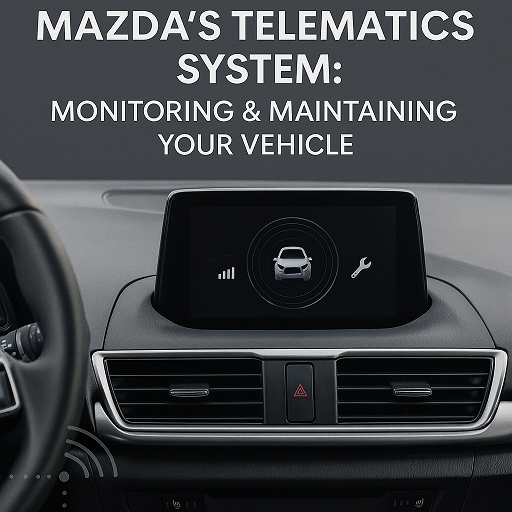
Mazda’s Telematics System: Monitoring & Maintaining Your Vehicle

By Beach Mazda In today’s connected world, cars are more than just a way to get from point A to point B—they’re intelligent machines designed to keep drivers informed, safe, and in control. Mazda’s Telematics System is a prime example of how modern technology enhances the driving experience, giving you real-time insights into your vehicle’s health and performance while keeping you connected no matter where the road takes you. In this blog post, we’ll take a closer look at Mazda’s Telematics System, how it works, and how it helps you monitor and maintain your vehicle more efficiently. more What is Mazda’s Telematics System? Mazda’s Telematics System uses wireless communication and onboard sensors to collect and transmit data from your vehicle to your smartphone or mobile device through the MyMazda App. This system keeps you informed about your vehicle’s condition and can even send alerts or maintenance reminders directly to your phone. With this technology, you can enjoy features like: Vehicle health monitoring Remote start and door locking/unlocking Real-time diagnostics Emergency roadside assistance Maintenance scheduling and reminders Vehicle location tracking This connectivity ensures that you’re never left guessing about what’s going on under the hood. Key Features of Mazda’s Telematics System 1. Vehicle Health Reports Mazda’s telematics system continuously monitors your vehicle’s systems and provides you with easy-to-read health reports. From oil life to tire pressure and battery condition, these reports help you catch potential issues before they become major problems. 2. Maintenance Reminders Never forget another oil change or tire rotation. The system tracks mileage and service intervals and sends maintenance reminders directly to your phone via the MyMazda App. You can also schedule service appointments at Beach Mazda with just a few taps. 3. Remote Access with MyMazda App Can’t remember if you locked your car? Need to warm it up on a cold morning? With the MyMazda App, you can remotely start the engine, lock or unlock the doors, and even flash the lights or honk the horn to locate your vehicle. 4. Stolen Vehicle Assistance In the unfortunate event that your vehicle is stolen, Mazda’s telematics system can assist law enforcement in locating it. The vehicle tracking feature adds peace of mind by giving you the tools to act quickly. 5. Roadside Assistance Integration Mazda’s telematics system offers seamless access to 24/7 roadside assistance. Whether you’ve got a flat tire or need a tow, help is just a button press away through your infotainment screen or the MyMazda App. How It Works Mazda’s Telematics System relies on a combination of embedded hardware in your vehicle and the Mazda Connected Services cloud platform. Data collected from your vehicle is sent to Mazda’s secure servers, where it’s processed and made available to you in real time via the MyMazda App. Getting Started: Download the MyMazda App from the Apple App Store or Google Play. Create a Mazda account and register your vehicle using its VIN. Activate Mazda Connected Services (free for the first three years on most new models). Start monitoring, managing, and maintaining your Mazda—anytime, anywhere. Which Mazda Models Feature Telematics? Mazda’s Telematics System is available on a wide range of newer models, including: Mazda CX-30 Mazda CX-50 Mazda CX-5 Mazda CX-90 Mazda3 Sedan and Hatchback As Mazda continues to expand its lineup and enhance its connected technology, more models will benefit from these advanced features. Why It Matters Mazda’s telematics technology isn’t just about convenience—it’s about proactive vehicle care, enhanced safety, and a more connected driving experience. By staying informed and in control, you can extend your vehicle’s lifespan, improve performance, and enjoy peace of mind on every drive. Stay Connected with Beach Mazda At Beach Mazda, we’re proud to offer vehicles equipped with the latest technology, including Mazda’s advanced Telematics System. Our team is here to help you set up your MyMazda App, understand your vehicle’s data, and keep your Mazda running like new. Ready to experience smart driving? Visit Beach Mazda today to explore our lineup and see how Mazda’s Telematics System can transform the way you drive. Beach Mazda Driven by innovation. Committed to you.

BM3 TITLE MAY 2026

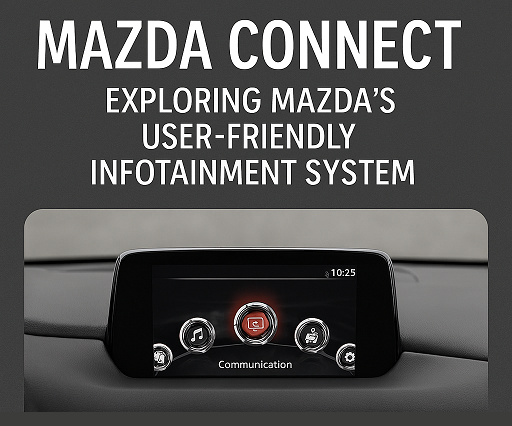
Mazda Connect: Exploring Mazda's User-Friendly Infotainment System

By Beach Mazda In today’s digital age, staying connected while on the road has become a key part of the driving experience. With Mazda Connect, Mazda’s advanced infotainment system, drivers and passengers can enjoy seamless integration of their smartphones, entertainment, and navigation, all within an intuitive and user-friendly interface. Whether you’re commuting to work or embarking on a weekend road trip, Mazda Connect enhances your driving experience with its innovative features. In this blog post, we’ll dive into the Mazda Connect system, how it works, its standout features, and how it makes your journey more enjoyable and convenient. more What is Mazda Connect? Mazda Connect is Mazda’s infotainment system that connects your vehicle to a world of entertainment, communication, and navigation. Available in most new Mazda vehicles, Mazda Connect combines Bluetooth connectivity, voice recognition, touchscreen control, and smartphone integration into one cohesive package. The system is designed to be intuitive and easy to use, offering a variety of features that enhance convenience, safety, and entertainment while driving. Whether you prefer controlling your vehicle's systems through voice commands, steering wheel controls, or the large touchscreen, Mazda Connect gives you the flexibility to interact with your vehicle the way you want. Key Features of Mazda Connect Mazda Connect offers a range of features that make your time on the road more enjoyable and efficient. Here’s a closer look at some of the standout features: Smartphone Integration with Apple CarPlay and Android Auto One of the most popular features of Mazda Connect is its ability to integrate seamlessly with both Apple CarPlay and Android Auto. This allows you to connect your smartphone to your vehicle and use compatible apps directly on the infotainment screen. You can: Make hands-free calls and send text messages. Use your smartphone’s navigation apps, such as Google Maps or Apple Maps. Stream your favorite music, podcasts, and audiobooks from apps like Spotify and Pandora. Access your calendar, weather updates, and more—all without ever taking your hands off the wheel. The best part? Both systems are wireless on newer Mazda models, so you don’t have to worry about plugging in your phone every time you get in the car. Voice Command Integration To keep your hands on the wheel and your eyes on the road, Mazda Connect offers voice recognition technology. With voice commands, you can control various features, such as making phone calls, changing music, and adjusting navigation. Simply press the voice command button on the steering wheel, and Mazda Connect will listen to your instructions, allowing for safer and more convenient operation. Navigation and Traffic Updates For those who often find themselves on unfamiliar roads or in need of quick directions, Mazda Connect offers in-built navigation. The system provides real-time traffic updates, helping you avoid congested routes and get to your destination faster. Whether you’re using Mazda’s built-in GPS system or Apple Maps and Google Maps through smartphone integration, Mazda Connect ensures you’re always on the right track. Entertainment and Connectivity Mazda Connect provides access to a wide array of entertainment options. The system supports Bluetooth audio streaming, allowing you to play your favorite music or podcasts directly from your phone. It also includes SiriusXM radio (on compatible vehicles), giving you access to hundreds of stations across various genres, including music, news, and sports. The system also supports HD Radio, providing crystal-clear sound quality for your listening pleasure. Mazda Connect App for Remote Access With the Mazda Connect app, you can control key aspects of your vehicle from your smartphone. This includes remote locking and unlocking, vehicle location tracking, remote engine start, and even checking on your car’s maintenance status. The app gives you peace of mind, whether you're trying to locate your vehicle in a crowded parking lot or ensuring your car is locked while you're away. How Mazda Connect Enhances Driver Safety Mazda Connect isn’t just about entertainment—it’s also designed to help keep you safe on the road. Some of the key safety features include: Blind Spot Monitoring and Rear Cross-Traffic Alert These safety features are integrated into the Mazda Connect system, providing visual and audible warnings when a vehicle is detected in your blind spot or when there’s cross-traffic while you’re reversing. With these systems, Mazda Connect helps to improve situational awareness and reduce the risk of accidents. Emergency Assistance System In the event of an emergency, Mazda Connect’s Emergency Assistance feature can automatically dial emergency services and provide your location if a serious accident is detected. This system can be a lifesaver if you’re in need of immediate help. Traffic Sign Recognition and Lane Departure Warning Mazda Connect also includes features like traffic sign recognition and lane departure warning to help keep you aware of road conditions and stay within your lane. These features enhance your ability to react to changing traffic conditions and help you stay focused on the road. How to Use Mazda Connect Using Mazda Connect is intuitive, thanks to the large touchscreen, physical buttons, and rotary dial located on the center console. You can control the system in three ways: Touchscreen: Use the large touchscreen to tap, swipe, and scroll through the menus. Rotary Dial: The rotary dial is located on the center console, allowing for easy control of the system without needing to take your hands off the wheel. Voice Commands: Activate voice recognition by pressing the voice command button on the steering wheel and speaking your commands. The system is designed with simplicity and ease of use in mind, ensuring that you can quickly access the features you need without distractions. Why Choose Mazda Connect? Mazda Connect stands out as one of the most user-friendly infotainment systems in the industry, combining advanced technology with ease of use. With seamless smartphone integration, voice control, real-time navigation, and a variety of entertainment options, it’s the perfect way to stay connected while on the road. At Beach Mazda, we’re excited to offer you the latest Mazda vehicles equipped with Mazda Connect, making your driving experience smarter, safer, and more enjoyable. If you’re interested in exploring Mazda Connect firsthand, visit us today and take a test drive in one of our new Mazda models! Beach Mazda Connecting You to the Road Ahead This blog post highlights the features and benefits of Mazda Connect, showing how the infotainment system enhances your driving experience with convenience, safety, and connectivity.