Blog

Pros and Cons of Buying a Used Car

Buying a used car comes with a unique set of pros and cons that can influence your decision-making process. On the positive side, used cars generally have a lower purchase price, reduced depreciation, and a wider variety of models to choose from within your budget. However, there are also potential downsides, such as the risk of unknown maintenance issues, a limited warranty, and potentially higher interest rates on loans. Understanding these factors can help you make an informed decision about whether buying a used car is the right choice for you.

What to Look for When Buying a Used Car

When buying a used car, it's important to thoroughly inspect both the vehicle's condition and its history. Start by checking the exterior and interior for any signs of damage, wear, or rust. Examine the tires, brakes, and under the hood to ensure everything is in good working order. Take the car for a test drive to assess its performance, listen for unusual noises and pay attention to how it handles. Review the vehicle's history report to check for past accidents, title issues, and maintenance records. It's also wise to have a trusted mechanic inspect the car before purchasing to avoid surprises down the road.

When is the Best Time to Buy a Used Car?

The best time to buy a used car is typically at the end of the year or the end of each quarter when dealerships are eager to meet sales targets and clear out inventory. During these periods, you may find better deals, discounts, and promotions as dealerships make room for newer models. Shopping during holiday weekends, such as Memorial Day, Labor Day, or Black Friday, can also lead to significant savings. It's also wise to keep an eye on the market when new model years are released, as this often leads to a surge in trade-ins and a greater selection of used cars available at competitive prices.

Is it Better to Buy a New or Used Car?

Whether to buy a new car or used car depends on your individual needs, budget, and preferences. New vehicles offer the latest technology, warranties, and the assurance of pristine condition, but they come with a higher price tag and rapid depreciation. On the other hand, used cars are generally more affordable and have already depreciated, providing better value for the money. However, they may come with higher maintenance risks and limited warranties. If you prioritize cutting-edge features and a full warranty, a new car might be the right choice. If budget constraints and value for money are your main considerations, a used car could be a more practical option.

Benefits of Buying a Used Car

  • Lower Purchase Price: Used cars generally cost significantly less than new cars, making them more accessible and budget-friendly.
  • Reduced Depreciation: Since used cars have already undergone their steepest depreciation, their value decreases at a slower rate compared to new vehicles.
  • Lower Insurance Costs: Insurance premiums for used cars are often lower, saving you money on coverage.
  • Wider Selection: A broader range of models and options may be available within your budget when buying used.
  • Certified Pre-Owned Options: Many dealerships offer certified pre-owned (CPO) vehicles that come with extended warranties and thorough inspections, providing added peace of mind.
  • Less Financial Risk: With lower purchase prices and slower depreciation, buying a used car can be a less risky financial investment compared to new vehicles.

Disadvantages of Buying a Used Car

  • Unknown Maintenance History: Used cars may come with hidden wear and tear or maintenance issues that are not immediately apparent.
  • Limited Warranty: Unlike new cars, used cars often have limited or no warranty coverage, leading to higher repair costs.
  • Higher Interest Rates: Financing for used cars may come with higher interest rates than new car loans.
  • Potential for Older Technology: Used cars may lack the latest technology and features found in new models, affecting convenience and safety.
  • Risk of Buying a Lemon: There is a risk of purchasing a vehicle with significant problems that may not be covered by the seller’s return policy.
  • Limited Customization: Used cars are often sold as-is, meaning fewer options for customization or modifications compared to new vehicles.

Visit Beach Mazda and View our Used Selection of Mazda Vehicles and Other Brands!

Visit Beach Mazda today to explore our extensive selection of used Mazda vehicles for sale and other pre-owned brands for sale. Our showroom features a diverse range of options, ensuring you'll find a car that suits your needs and budget. Take advantage of the opportunity to schedule a test drive and experience the quality and performance of our used cars firsthand. Additionally, if you have a vehicle to trade in, we can help you value it and apply the trade-in amount toward your purchase, making your transition to a new vehicle even more affordable. Come to Beach Mazda and discover your next car today!
Recommended Posts

Blue Mazda CX-5

New Mazda CX-5 Interior Options: What to Expect | Beach Mazda

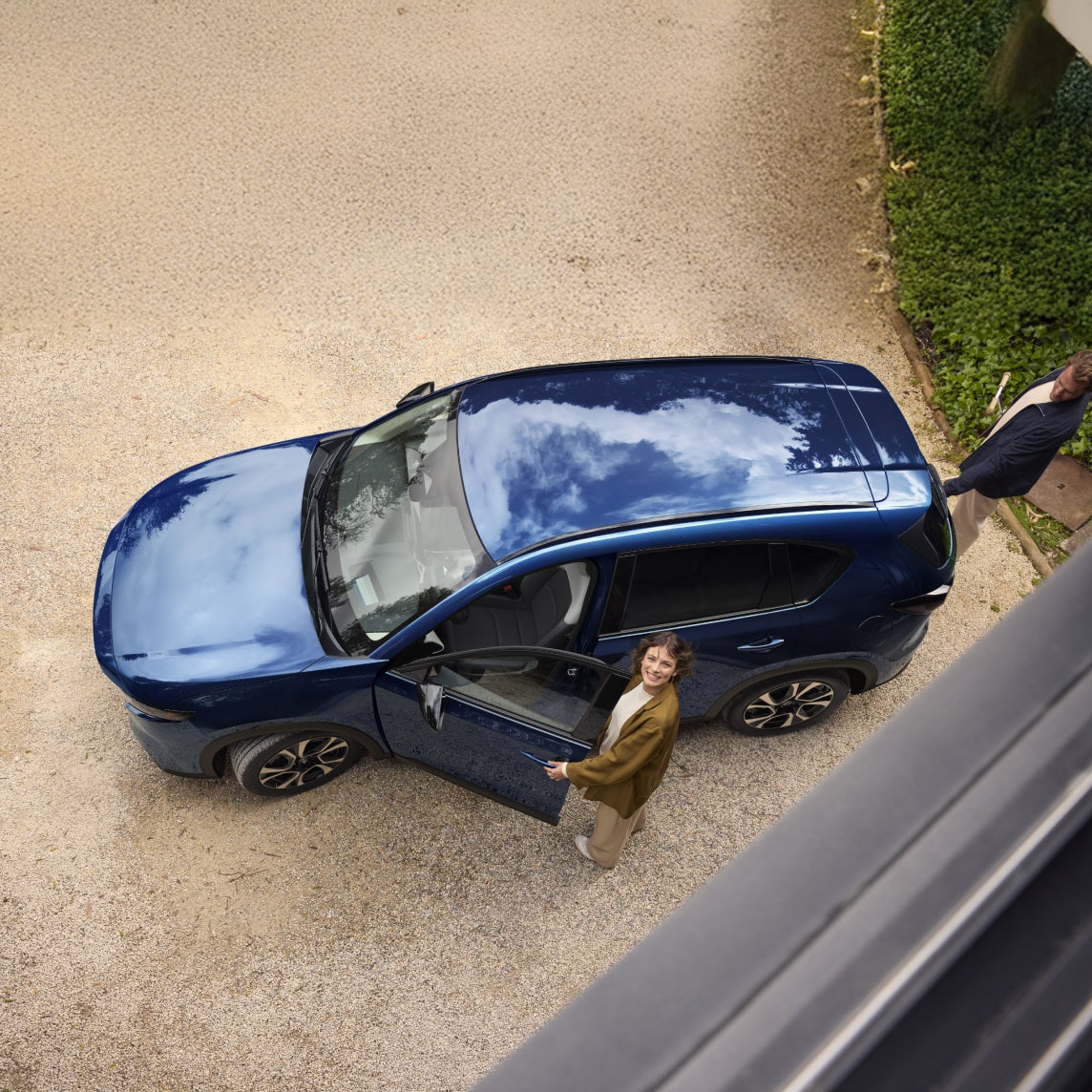
New Mazda CX-5 Interior Options: What to Expect The new Mazda CX-5 interior is the biggest upgrade in the SUV's history. The fully redesigned 2026 CX-5 is about 4.5 inches longer, and nearly every inch of that growth went into the cabin. The result is more rear-seat room, a larger cargo area, the biggest screens Mazda has ever offered, and Google built-in on every trim. If you're shopping for a compact SUV around Myrtle Beach, Conway, or Murrells Inlet, here's what to expect inside the new CX-5, trim by trim. A Bigger, Cleaner Cabin Inside the 2026 Mazda CX-5 The third-generation CX-5 keeps the upscale feel Mazda is known for, but gives passengers a lot more room to enjoy it. Mazda stretched the wheelbase by about 4.5 inches and designed the dashboard around a simpler, driver-focused layout with fewer buttons and less visual clutter. What's Changed From the Previous CX-5 More space: Increased rear legroom, knee room, and headroom compared with the 2017–2025 model. Simplified controls: The old rotary commander knob is gone, replaced by a touchscreen, Google Assistant voice control, and new steering wheel shortcuts. Wider rear doors: A larger door opening makes it easier to load kids, car seats, and passengers. Premium materials: Soft-touch surfaces and refined trim carry Mazda's reputation for interiors that feel a class above. Key Interior Dimensions Rear legroom: 39.9 inches Rear headroom (without sunroof): 40.2 inches Seating: Five passengers across two rows, with car seat compatibility in every rear position Technology and Infotainment: The Biggest Screens Ever in a Mazda Technology is the headline of the new CX-5 interior. The 2026 CX-5 is the first Mazda with Google built-in, and it offers the largest touchscreen Mazda has ever put in a vehicle. Touchscreen Options 12.9-inch center touchscreen: Standard on the 2.5 S through 2.5 S Premium, replacing the previous 10.25-inch display. 15.6-inch center touchscreen: Exclusive to the top 2.5 S Premium Plus trim and the largest display ever offered in a Mazda. 10.25-inch digital instrument cluster: Standard on every trim. Full-color head-up display: Available from the 2.5 S Preferred and up. Google Built-In and Smartphone Integration Google built-in: Google Maps, Google Assistant, and Google Play apps are standard on all five trims, with a complimentary one-year trial. Hands-free voice control: Adjust navigation, climate, and audio just by asking. Apple CarPlay and Android Auto: Wired on the 2.5 S; wireless from the 2.5 S Select and above. Wireless phone charging: Standard from the 2.5 S Select and above. USB-C ports: Dual front USB-C ports on every trim, plus two rear ports on Premium trims. Audio Upgrades Standard: 8-speaker audio system with HD Radio on the 2.5 S through 2.5 S Preferred. Premium: Bose 12-speaker system with SiriusXM 360L on the 2.5 S Premium and Premium Plus. Seating, Comfort, and Cargo Space The new CX-5 is built for real Grand Strand life: beach chairs, coolers, golf clubs, and passengers who want room to stretch out. Upholstery Options Cloth: Standard on the 2.5 S. Leatherette with embossed microsuede inserts: 2.5 S Select and 2.5 S Preferred. Genuine leather: 2.5 S Premium and 2.5 S Premium Plus. Comfort Features Dual-zone automatic climate control: Standard on every trim. Rear air vents: Added from the 2.5 S Select, a welcome feature during hot South Carolina summers. Heated front seats and heated steering wheel: From the 2.5 S Preferred. Ventilated front seats and heated rear seats: From the 2.5 S Premium. Power driver's seat with memory: 10-way adjustment with two memory positions from the 2.5 S Preferred. Ambient lighting: Color-selectable lighting on Premium trims. Panoramic sunroof: Standard on the 2.5 S Premium and Premium Plus. Cargo Space and Versatility 33.7 cubic feet behind the rear seats. 66.5 cubic feet with the rear seats folded flat. New 40:20:40 split rear seat: Fold the middle section for long items like paddleboards or fishing rods while two passengers ride in back. Power liftgate: Programmable height from the 2.5 S Preferred; hands-free on the Premium Plus. 2026 Mazda CX-5 Interior Options by Trim Level All five 2026 CX-5 trims come with standard i-Activ AWD. Here's how the interior builds from one trim to the next. 2.5 S 12.9-inch touchscreen with Google built-in 10.25-inch digital instrument cluster Wired Apple CarPlay and Android Auto Dual-zone automatic climate control Cloth seats 2.5 S Select Leatherette seats with embossed microsuede inserts Wireless Apple CarPlay and Android Auto Wireless phone charger Rear seat air vents Smart Keyless entry and push-button start 2.5 S Preferred Heated front seats and heated steering wheel 10-way power driver's seat with two-position memory Full-color windshield head-up display Power liftgate with programmable height HomeLink garage door opener 2.5 S Premium Genuine leather seats Ventilated front seats and heated rear seats 6-way power passenger seat Bose 12-speaker audio with SiriusXM 360L Panoramic sunroof and color-selectable ambient lighting Rear USB-C ports 2.5 S Premium Plus 15.6-inch touchscreen, the largest ever in a Mazda Mazda Driver Personalization System 360-degree camera with underfloor view Paddle shifters Hands-free power liftgate Safety Features Built Into the Cabin The 2026 CX-5 earned a 2026 IIHS TOP SAFETY PICK+ award, and its standard i-Activ Sense suite is more complete than any previous CX-5. Standard on Every Trim 10 airbags, including front knee and rear side airbags Rear Automatic Emergency Braking with pedestrian detection Blind Spot Monitoring and Blind Spot Assist Safe Exit Warning to alert passengers of approaching traffic before opening a door Mazda Radar Cruise Control with Speed Limit Assist Front and rear parking sensors Added on the 2.5 S Premium Plus Driver Monitoring Front Cross Traffic Alert and Braking Cruising and Traffic Support with Lane Change Assist Experience the New Mazda CX-5 Interior at Beach Mazda Photos and spec sheets can only tell you so much. The best way to appreciate the new Mazda CX-5 interior is to sit in it yourself, stretch out in the roomier back seat, and try the 15.6-inch touchscreen in person. At Beach Mazda, our non-commissioned sales team will walk you through every trim at your own pace, with no pressure, so you can find the CX-5 that fits your life and budget. Backed by nearly 30 years of Grand Strand hospitality and our $1,000 Low Price Guarantee, we make it easy to drive home happy. Browse our new Mazda CX-5 inventory, schedule your test drive online, or visit us at 851 Jason Blvd in Myrtle Beach, SC. You can also call our sales team at 843-279-2305. We proudly serve drivers from Myrtle Beach, Conway, Carolina Forest, Murrells Inlet, Surfside Beach, and beyond.

HUMAN-MACHINE INTERFACE

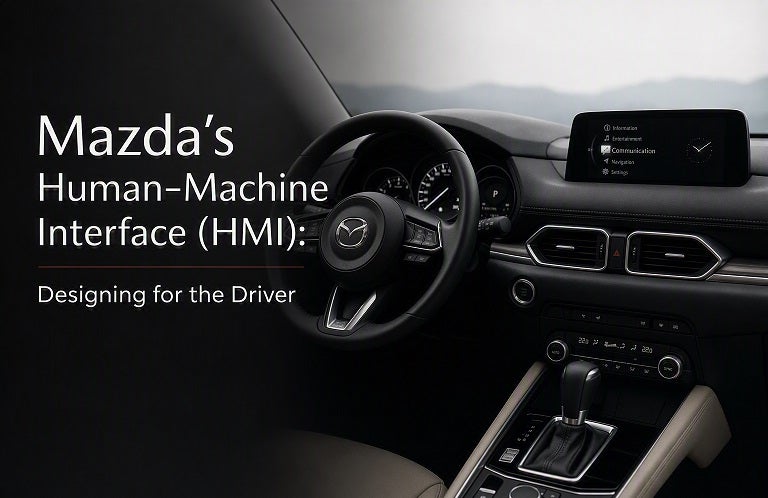
Mazda's Human-Machine Interface (HMI): Designing for the Driver

At Mazda, driving is more than just getting from point A to point B. It’s about creating a connection between the driver, the car, and the road—a connection that is intuitive, seamless, and responsive. This is where Mazda's Human-Machine Interface (HMI) comes into play. Through thoughtful design and advanced technology, Mazda's HMI enhances the driving experience by allowing drivers to stay focused on the road while still accessing essential information and entertainment. In this blog post, we’ll explore how Mazda’s HMI system is crafted with the driver in mind, making every journey more enjoyable, convenient, and, most importantly, safe. What is Mazda’s Human-Machine Interface (HMI)? Mazda’s Human-Machine Interface (HMI) refers to the system that allows the driver to interact with the vehicle’s technology—such as infotainment, navigation, and safety features—using controls that are easy to reach and understand. The goal of the HMI is to make the driving experience as intuitive as possible, minimizing distractions and allowing the driver to focus on what matters most: the road. Mazda has meticulously designed the HMI to provide an optimal balance between functionality and user-friendliness, ensuring that the system is not only effective but also enhances the overall driving experience. Key Features of Mazda's HMI System Mazda’s HMI system integrates several innovative features that are designed to make the driver’s experience more intuitive, comfortable, and connected. Here’s a look at some of the standout features: Mazda Connect Infotainment System At the heart of Mazda’s HMI is the Mazda Connect infotainment system, which serves as the interface for navigation, entertainment, communication, and vehicle settings. The system is designed to be easy to use and offers a range of functions, including: Bluetooth connectivity for hands-free calls and music streaming Voice command recognition for quick, hands-free control of the system Touchscreen interface that is highly responsive and easy to navigate Apple CarPlay® and Android Auto™ for seamless smartphone integration Mazda Connect puts all the tools you need at your fingertips, ensuring that you can stay connected while keeping your attention on the road. Commander Control Knob Unlike many other vehicles that rely solely on touchscreen controls, Mazda’s HMI system features the Commander Control knob —a physical dial located on the center console. This dial allows drivers to navigate through menus, select options, and adjust settings with ease, all without taking their hands off the wheel or their eyes off the road. This driver-focused control provides a more ergonomic and safer way to interact with the system compared to touchscreens alone. The Commander Control knob is intuitive and works in harmony with the Mazda Connect system, allowing for seamless control over everything from music playlists to navigation routes. Heads-Up Display (HUD) To further reduce distractions, Mazda offers an available Heads-Up Display (HUD) that projects key driving information directly onto the windshield. Important data such as speed, navigation instructions, and safety alerts are displayed right in the driver’s line of sight, allowing you to stay informed without having to look down at the dashboard or infotainment screen. This feature enhances safety by ensuring that vital information is always visible while you focus on the road ahead. Driver-Centric Design: Ergonomics and Accessibility Mazda’s HMI is built with the philosophy of Jinba Ittai —the bond between horse and rider, or in this case, the car and the driver. Every aspect of the system is carefully crafted to ensure comfort, ergonomics, and accessibility. Mazda’s focus on driver-centric design means that every control and feature is intuitively positioned for easy access and use. For example, the steering wheel is designed with multiple controls that allow you to adjust the volume, change tracks, manage cruise control, and access safety features without ever removing your hands from the wheel. Mazda’s engineers also consider the positioning of the screen, knob, and buttons to make sure everything is within comfortable reach, regardless of your driving position. This attention to detail ensures that Mazda drivers experience fewer distractions and a more seamless connection with their vehicles. Safety First: How Mazda's HMI Contributes to Driver Safety Mazda understands that safety is paramount, and its HMI system is designed to enhance driver safety by reducing distractions and enabling safer interactions with in-vehicle technologies. The key to this is the way Mazda's HMI integrates with driver-assistance technologies like Mazda i-Activsense. Some ways Mazda’s HMI promotes safety include: Voice Recognition: Control features like navigation, music, and calls using your voice, so you can keep your hands on the wheel and eyes on the road. Heads-Up Display: As mentioned earlier, the HUD displays essential driving information directly in your line of sight, helping you stay focused on driving while still receiving important updates. Simplified Interface: The intuitive interface of Mazda Connect and the Commander Control knob minimizes the complexity of the system, making it easier for you to access the functions you need without overwhelming you with unnecessary options. Navigation and Alerts: The system provides clear, easy-to-read directions, alerts, and safety warnings that help you stay aware of potential hazards on the road. Mazda’s HMI Evolution: Continuous Improvement Mazda is committed to innovation and continuously improving its HMI systems to keep up with new technologies and changing consumer preferences. With each new model year, Mazda introduces updates to its HMI that enhance usability, refine features, and integrate newer technologies for a more connected, enjoyable driving experience. As part of this commitment, Mazda has also incorporated features such as smartphone integration (Apple CarPlay® and Android Auto™) and over-the-air software updates, ensuring that your vehicle is always equipped with the latest features and improvements. Mazda's Commitment Mazda’s Human-Machine Interface (HMI) is a testament to the brand’s commitment to driver-centered innovation. The system is designed to offer intuitive controls, minimize distractions, and provide a seamless connection between the driver and the vehicle. Whether you're interacting with the Mazda Connect system, using the Commander Control knob, or accessing driver-assistance technologies, Mazda’s HMI ensures that every journey is safe, comfortable, and enjoyable. Ready to experience Mazda’s innovative HMI system for yourself? Visit Beach Mazda today to explore our lineup of vehicles equipped with the latest in automotive technology. Our team is here to help you find the perfect Mazda that fits your needs, style, and driving preferences. Beach Mazda Where Innovation Meets the Road.

MAZDA KEY FOB

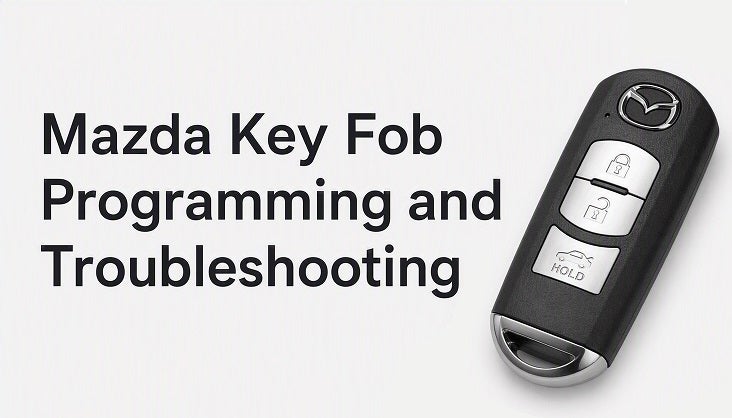
Mazda Key Fob Programming and Troubleshooting

Your Mazda key fob is more than just a tool for locking and unlocking your car—it’s an essential part of your vehicle’s security system. When it’s working properly, your key fob provides convenience and peace of mind. However, when it malfunctions, it can cause frustration. Whether you’ve lost a fob, need to program a new one, or are dealing with an unresponsive remote, understanding how your Mazda key fob works and how to troubleshoot common issues is important. In this blog, we’ll walk you through the key fob programming process and offer troubleshooting tips to help you get back on the road. Key Fob Basics: What You Need to Know Your Mazda key fob is a small electronic device that communicates with your car’s onboard computer. It uses radio frequency to send signals to your vehicle, allowing you to lock or unlock doors, start the engine, and more. Most Mazda key fobs also include a push-to-start feature, remote start, and sometimes even a panic button for added security. Key fobs are powered by a small battery, and the fob communicates with the vehicle through a system known as keyless entry or proximity sensors. How to Program a New Mazda Key Fob If you’ve recently purchased a new key fob for your Mazda or need to reprogram your existing one, it’s helpful to know how the programming process works. While some newer Mazda models offer self-programming, others may require professional assistance. Below, we’ll explain the general steps for programming your key fob yourself. Before You Begin Make sure you have two working keys (or key fobs) to complete the process. If you only have one, you may need to visit a Mazda dealership or locksmith for assistance. You will need access to your Mazda’s ignition or push-to-start button. Self-Programming Steps for Mazda Key Fobs Sit in the driver’s seat and close all doors. Insert your key into the ignition and turn it to the "ON" position (do not start the engine). Turn the ignition back to "OFF" and repeat the process for a total of three times. On the third turn, leave the ignition in the “ON” position. Press and hold the "Lock" button on your key fob for about five seconds. Afterward, release the button. The security light on your dashboard should start blinking to indicate that the fob is in programming mode. Press the “Lock” button on the key fob again. The security light will blink and then stay solid, confirming the programming is successful. Turn the ignition off to complete the process and exit programming mode. You can repeat the process for additional key fobs, as needed. Note: If this process doesn’t work for your Mazda, or if you’re unable to program the fob yourself, it’s best to contact Beach Mazda for professional assistance. Troubleshooting Common Mazda Key Fob Issues If your key fob isn’t working properly, there could be several reasons behind the issue. Here are some common problems and their solutions: 1. Key Fob Not Unlocking or Locking the Car If pressing the buttons on your key fob doesn’t seem to do anything, there are a few things to check: Check the Battery: The most common reason for a non-responsive key fob is a dead battery. Open the back of the fob and replace the battery with a new one. Be sure to use the correct battery type (usually a CR2032 or CR2025). Reprogramming Needed: If the fob was recently reprogrammed or lost sync with your car, it may need to be reprogrammed. Follow the steps in the previous section to try programming it yourself or visit Beach Mazda for assistance. 2. Key Fob Not Starting the Car If the push-to-start feature isn’t working and your car won’t start with the key fob in your pocket or near the ignition, you may need to: Check the Key Fob Battery: A weak or dead key fob battery can prevent the car from detecting the fob. Replace the battery and test the fob again. Check the Vehicle’s Battery: Sometimes, a weak or dead vehicle battery can interfere with the communication between the key fob and the car. If replacing the fob battery doesn’t solve the issue, check your car’s battery. Contact Beach Mazda: If the problem persists, your vehicle may need diagnostic testing to rule out issues with the car's keyless entry system or security features. 3. Key Fob Buttons Aren’t Responding Properly If individual buttons on your key fob aren’t responding or are slow to react, try the following: Clean the Fob: Dirt and grime can build up around the buttons, preventing them from functioning properly. Use a microfiber cloth and some gentle cleaning solution to clean around the buttons. Check for Physical Damage: If your key fob has been dropped or exposed to water, internal damage may be causing the malfunction. In this case, you may need a replacement fob. 4. Key Fob Doesn’t Lock or Unlock Doors Remotely If the fob doesn’t work from a distance, it might not be within range. Try the following: Move Closer to the Vehicle: Ensure that you're within the proper range (usually 3-5 feet) of the vehicle when pressing the button. Check for Interference: Other electronic devices, such as cell phones or electronics, can interfere with the signal. Move away from these devices and try again. Replace the Battery: Even if the key fob seems to work for other functions, a weak battery can impact its range. When to Seek Professional Help If you’ve tried troubleshooting the issues yourself and your key fob still isn’t working, it may be time to visit Beach Mazda for professional assistance. Some issues, such as faulty internal components or issues with your car’s security system, may require specialized equipment to fix. Beach Mazda can Help! Your Mazda key fob is a key component of your vehicle’s security and convenience features. Whether you need to program a new fob, troubleshoot an existing one, or replace a dead battery, knowing how to handle these issues can save you time and frustration. By following the steps outlined above, you can keep your key fob working smoothly and ensure a seamless driving experience. If you're ever in need of key fob programming or troubleshooting, don’t hesitate to visit Beach Mazda. Our team of professionals is here to assist you with all your Mazda needs! Beach Mazda Your Trusted Mazda Experts in Myrtle Beach Ready to get your Mazda key fob working perfectly? Contact Beach Mazda today to schedule an appointment or get advice from our expert team!