
Blog / Fun Stuff

How to Upgrade Your Mazda's Audio System: A Comprehensive Guide

bm3 feb title

For many car enthusiasts, the audio system is just as important as the vehicle’s performance and handling. Mazda vehicles, known for their stylish design and sporty driving experience, can be greatly enhanced with an upgraded audio system. Whether you want clearer sound, more bass, or advanced connectivity features, upgrading your Mazda's audio system can significantly improve your driving experience. In this blog, we’ll guide you through the steps to upgrade your audio system, the components to consider, and tips for a successful installation.

Assess Your Current Audio System

Before diving into an upgrade, it's important to evaluate your current audio system and identify what improvements you desire. Here are some factors to consider:

  • Sound Quality: Are you satisfied with the overall sound quality? Do you want clearer vocals, better bass, or enhanced sound staging?
  • Features: Do you need modern features like Bluetooth connectivity, smartphone integration, or built-in navigation?
  • Power Output: Consider whether your current system provides enough power and volume for your preferences.

Choose Your Upgrades

Depending on your needs, you can choose to upgrade specific components of your audio system or replace the entire system. Here are some key components to consider:

  • Head Unit (Receiver): Upgrading the head unit can significantly enhance your audio experience. Look for models with features like Bluetooth, USB ports, Apple CarPlay, and Android Auto for seamless smartphone integration.
  • Speakers: High-quality speakers can drastically improve sound clarity and bass response. Consider upgrading to component speakers for better sound quality or coaxial speakers for a more straightforward installation.
  • Subwoofer: If you're looking for deep bass, adding a subwoofer is an excellent choice. You can opt for a standalone subwoofer or a powered subwoofer that integrates with your existing audio system.
  • Amplifier: An amplifier can provide the extra power needed to drive high-performance speakers and subwoofers, resulting in improved sound quality and volume.
  • Sound Deadening Material: To enhance audio quality, consider adding sound-deadening material to reduce road noise and vibrations. This can help create a more enjoyable listening environment.

Gather the Necessary Tools

Before starting the installation process, make sure you have the right tools. Common tools needed for audio system upgrades include:

  • Screwdrivers (flathead and Phillips)
  • Wire strippers and crimpers
  • Electrical tape
  • Socket set
  • Dash removal tools (for head unit installation)
  • Multimeter (for electrical testing)

Installation Steps

Here’s a general overview of the installation process for upgrading your Mazda's audio system. Keep in mind that the specific steps may vary depending on your vehicle model and the components you choose.

  • Step 1: Disconnect the Battery
    • Always disconnect the negative terminal of the battery before working on any electrical components to avoid shorts or shocks.
  • Step 2: Remove the Existing Head Unit
    • Use dash removal tools to carefully remove the trim around the head unit. Unscrew the mounting screws and gently pull out the old head unit. Disconnect the wiring harness and antenna cable.
  • Step 3: Install the New Head Unit
    • Connect the wiring harness adapter to the new head unit. This may require some splicing of wires, so ensure you follow the color-coded instructions carefully. Secure the head unit in place and reattach the trim.
  • Step 4: Upgrade Speakers
    • If you’re replacing the speakers, remove the door panels or speaker covers to access the factory speakers. Disconnect the wiring harness and unscrew the old speakers. Install the new speakers, ensuring they fit securely and connect the wiring.
  • Step 5: Add a Subwoofer (if applicable)
    • If you're adding a subwoofer, follow the manufacturer’s instructions for placement and wiring. Connect the subwoofer to the amplifier, and ensure you have a secure power source.
  • Step 6: Install an Amplifier (if applicable)
    • If you’re using an amplifier, find a suitable location to mount it (usually under a seat or in the trunk). Connect the amplifier to the head unit and the speakers, ensuring proper power and ground connections.
  • Step 7: Test the System
    • Once everything is connected, reconnect the battery and test the audio system. Check for sound quality, volume levels, and connectivity features. Make any necessary adjustments.

Consider Professional Installation

While upgrading your audio system can be a rewarding DIY project, consider seeking professional installation if you’re unsure about the process or if your upgrades are complex. Professional installers have the experience and tools to ensure a flawless installation and optimal performance.

Fine-Tune Your Audio Settings

After upgrading your audio system, take the time to fine-tune the settings for the best sound quality. Adjust the equalizer settings, balance, and fade to achieve your desired sound profile. Experiment with different settings to find what works best for your music preferences.

Transform Your Driving Experience

Upgrading your Mazda's audio system can transform your driving experience, allowing you to enjoy your favorite music with exceptional clarity and depth. By assessing your needs, choosing the right components, and following the installation steps, you can create a custom audio setup that enhances your vehicle. Whether you opt for a simple upgrade or a complete overhaul, investing in your Mazda’s audio system is a decision you won’t regret. Enjoy the ride and the music!

Posted in:

Related Posts

B1 TITLE SEP 2026

7 Hidden Mazda Infotainment Features Grand Strand Drivers Didn’t Know Existed

Whether you’re commuting down Highway 17, heading to the beach for the weekend, or taking a scenic cruise along Ocean Boulevard, driving a Mazda in Myrtle Beach is all about enjoying the ride. Whether you’re cruising in a CX-30, CX-5, CX-50, or CX-90, here are seven hidden infotainment features and shortcuts built right into your dashboard. When you take delivery of a new vehicle at Beach Mazda, our team makes sure you know the essentials—like pairing your smartphone and setting up Apple CarPlay® or Android Auto™. But Mazda's engineers packed a lot of clever software shortcuts into the Mazda Connect system that many drivers miss during their first week on the road. Here's a look at seven hidden Mazda infotainment features. more 1. The Instant Apple CarPlay & Android Auto Toggle Tired of clicking through multiple sub-menus just to check a radio station or tweak your vehicle settings while navigating with Apple CarPlay or Android Auto? The Shortcut: Press and hold the Home button on the central Commander Control dial for 2 seconds. This shortcut instantly flips your display back and forth between your smartphone screen and the native Mazda Connect main menu—no extra wheel scrolling required. 2. Dynamic 360 Camera Angle Cycling When you back out of a tight parking space at Broadway at the Beach or parallel park near the boardwalk, shifting into reverse triggers your backup camera. But you aren't limited to just one standard view. While in reverse or viewing the active camera screen, press straight down on the central Commander knob. Toggling or clicking down cycles through different camera perspectives, including: Wide-Angle Rear View: Perfect for spotting oncoming traffic when backing out of a crowded beach lot. Front Bumper Camera: Helps you clear high curbs and parking blocks without scraping. Side/Tire Angles: Great for avoiding curb rash on your alloy wheels in tight parking garages. 3. The "Voice Prompt Silencer" Tap We’ve all been there: built-in navigation starts reading out a long list of step-by-step directions right when a passenger tries to speak or a great song comes on the radio. Instead of searching through on-screen menus to mute the voice: Give a single, quick tap to the Talk/Voice button on your steering wheel. A quick press immediately silences the current spoken prompt mid-sentence without canceling your active navigation route. 4. Head-Up Display Fix for Polarized Sunglasses Coastal South Carolina brings plenty of sunshine, meaning polarized sunglasses are a daily necessity along the Grand Strand. However, polarization can make the projected Active Driving Display (Head-Up Display) on your windshield appear faint or invisible. Rather than taking off your sunglasses, try this quick screen adjustment: Navigate to Settings In-Vehicle Displays Active Driving Display Rotation. Tilting the display angle by just 1 to 2 degrees changes the polarization angle of the light hitting your lenses, bringing the projected speed and safety alerts right back into crisp focus. 5. Hot Weather Key Fob Venting Summer heat in Myrtle Beach is no joke. Stepping into a car that’s been parked in the sun all afternoon can feel like entering an oven. Fortunately, your key fob holds a quick air-venting trick. Before walking up to your vehicle: Press the Unlock button on your key fob 3 times. On the 4th press, hold the button down. All four windows will automatically roll down at once, letting the trapped heat vent out before you even open the door. 6. Customizing Your Digital Gauge Cluster Many modern Mazda models feature a central digital speedometer flanked by physical gauges. You can easily adjust what information sits directly in your line of sight. By pressing the INFO button on your steering wheel (or holding down the trip-meter stalk on select model years), you can cycle through multiple layouts: A traditional analog needle gauge. A clean, digital numeric readout. An active i-Activesense safety display showing live radar tracking and lane-keeping prompts. 7. The Dealer Engineering Menu Used by technicians in our Beach Mazda Service Center to run quick electronic diagnostics, Mazda Connect includes a hidden service menu. By holding down Music + Favorites (Star) + Mute simultaneously on the center console for about 5 seconds, the screen opens the Factory Diagnostic Menu. Note: This menu displays live GPS satellite strength, speaker channel test signals, and software build numbers. It’s a fun peek behind the curtain at Mazda technology, though we recommend leaving calibration settings unchanged! Experience Mazda Technology at Beach Mazda Whether you want to learn more about your current vehicle's hidden Mazda infotainment features or you're interested in testing out the latest Mazda models, our team on Jason Blvd in Myrtle Beach is here to help. Have a question about your Mazda Connect system infotainment features or due for routine service? Stop by Beach Mazda or schedule an appointment online with our certified technicians today!

BM3 TITLE AUG 2026

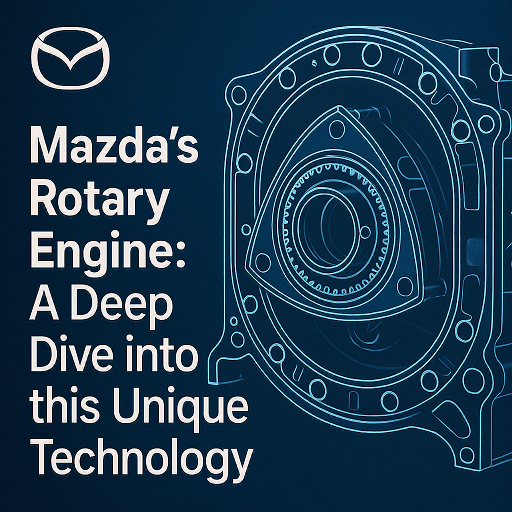
Mazda's Rotary Engine: A Deep Dive into this Unique Technology

When you think of Mazda performance and innovation, one term likely stands out: rotary engine. Unlike traditional piston engines, the rotary engine—also known as the Wankel engine —has become a symbol of Mazda’s engineering boldness and passion for unique driving experiences. At Beach Mazda, we believe part of what makes Mazda special is its willingness to think differently. So today, we’re diving deep into what makes the rotary engine so unique, how it works, and why it still holds a legendary status among driving enthusiasts. more 🔧 What Is a Rotary Engine? Instead of using pistons that move up and down, a rotary engine uses a triangular rotor that spins inside an oval-shaped housing. The rotor’s movement completes the four strokes of internal combustion— intake, compression, power, and exhaust —in a continuous motion. This design offers a lightweight, compact engine that delivers smooth power output and high-revving performance in a much smaller package than traditional engines. 🚘 Mazda and the Rotary Legacy Mazda didn't invent the rotary engine, but it perfected it. Starting with the Mazda Cosmo Sport 110S in 1967, Mazda brought the rotary engine to global attention. However, it was the Mazda RX-7 and later the RX-8 that truly defined the brand’s rotary reputation. These cars became beloved for their lightweight handling, distinctive engine sound, and thrilling driving dynamics. ⚙️ Key Advantages of the Rotary Engine Compact and Lightweight: Ideal for achieving balanced weight distribution and nimble handling. High Power-to-Weight Ratio: Delivers impressive horsepower for its size. Smooth Operation: Fewer moving parts and a unique rotation create a silky engine feel. High RPM Capability: Rotary engines love to rev, making them exciting for sports car fans. 🔍 Rotary Engine Challenges While the rotary engine has many perks, it’s not without its quirks: Fuel and Oil Consumption: Rotary engines are less efficient than piston engines, using more fuel and burning oil by design. Maintenance Requirements: They require more frequent attention, especially regarding seals and spark plugs. Emissions: Regulatory pressure and emissions standards eventually led to the discontinuation of the RX-8 in 2012. 🔋 A Rotary Comeback? The e-Skyactiv R-EV Mazda hasn’t given up on rotary technology. In fact, it’s returning in a new role: as a range extender for Mazda’s plug-in hybrid vehicles. The Mazda MX-30 e-Skyactiv R-EV reintroduces a compact rotary engine—not for driving the wheels, but for charging the battery when needed. It’s a clever use of the rotary’s lightweight, compact design, showing that Mazda still values its rotary heritage in the age of electrification. 🔧 Caring for a Rotary Engine (If You Own One) If you’re lucky enough to drive a rotary-powered Mazda like an RX-7 or RX-8, here are a few maintenance tips: Use high-quality oil and check levels often. Warm up the engine fully before pushing RPMs. Regularly replace spark plugs and ignition components. Stay on top of cooling system health to avoid overheating. Let the engine idle for a few seconds before shutting off to prevent flooding. Need help servicing a rotary engine? Our team at Beach Mazda has access to Mazda-certified parts and service experts who understand the care these engines require. 🔧 Rotary Engine, Mazda Spirit While the rotary engine is rare today, it remains a cornerstone of Mazda’s identity: innovation, driving joy, and fearless engineering. Whether in classic sports cars or cutting-edge EVs, the rotary still spins strong in Mazda’s DNA. Ready to explore Mazda’s legacy or the latest in electrified performance? Visit Beach Mazda today — where the spirit of rotary innovation lives on in every vehicle we sell and service. Want to learn more about rotary engine models or future Mazda tech? Just let us know and we’ll be glad to share more insights!

BM4 TITLE AUG 2026

Myrtle Beach for History Buffs: Museums and Historical Sites

Explore our History with Comfort and Style from Beach Mazda Myrtle Beach is famous for its sun, surf, and endless entertainment—but for those who love to step back in time, the area is also rich with fascinating history and cultural heritage. From Civil War landmarks to local museums, history buffs will find plenty to explore along the Grand Strand. At Beach Mazda, we understand that great adventures start with a reliable ride. Whether you’re cruising to a historic site or visiting a museum, your Mazda offers comfort, tech, and style that make every trip enjoyable. Here are some must-visit historical spots around Myrtle Beach. more 🏰 1. Hopsewee Plantation Location: Georgetown, SC This 18th-century rice plantation offers a glimpse into South Carolina’s colonial past. Tour the beautifully preserved house, stroll through the gardens, and learn about the history of rice cultivation and the lives of those who lived and worked on the plantation. Drive tip: It’s just a short, scenic ride from Myrtle Beach — perfect in your Mazda CX-5 with plenty of room for family and picnic gear. 🏛️ 2. Franklin G. Burroughs-Simeon B. Chapin Art Museum Location: Myrtle Beach This museum combines art with local history. Discover exhibitions focused on the region’s heritage alongside contemporary works by South Carolina artists. It’s a cultural hub that connects the past and present beautifully. Mazda match: The stylish Mazda3 makes a great city cruiser for this downtown stop. ⚓ 3. Atalaya Castle at Huntington Beach State Park Location: Murrells Inlet Built in the 1930s by sculptor Anna Hyatt Huntington, Atalaya Castle is a unique Moorish-style structure set along the coast. Explore the grounds and learn about this artistic and historical treasure in a stunning natural setting. Perfect ride: The Mazda CX-50, combining rugged capability with coastal style for an inspiring day trip. ⚔️ 4. The Georgetown County Museum Location: Georgetown, SC Dive deeper into the history of Georgetown County with artifacts, exhibits, and stories from the colonial era through the 20th century. The museum highlights the region’s maritime history, Native American heritage, and more. Travel tip: The comfortable and fuel-efficient Mazda CX-30 makes exploring nearby towns easy and economical. 🕰️ 5. Myrtle Beach Colored School Museum Location: Myrtle Beach This museum preserves the history of African American education and community in Myrtle Beach. It’s an important stop for understanding the cultural and social history of the area. 🚗 Explore History, Your Way with Beach Mazda With advanced navigation, spacious interiors, and features designed for comfort, your Mazda is the ideal companion for your historical explorations. Take your time visiting museums, plantations, and landmarks—your ride will be ready when it’s time to move on. 📍 Plan Your Historical Journey Today Ready to discover Myrtle Beach’s rich past? Visit Beach Mazda to find the perfect vehicle for your adventures—whether a compact Mazda3 for quick city stops or a roomy CX-9 for longer trips with the whole family. Stop by for a test drive and start making memories on the road and beyond.